Looks like you don't have ESC button on your device
Choose one of the following options
trial versionHas a license

Looks like you don't have ESC button on your device
Choose one of the following options
trial versionHas a license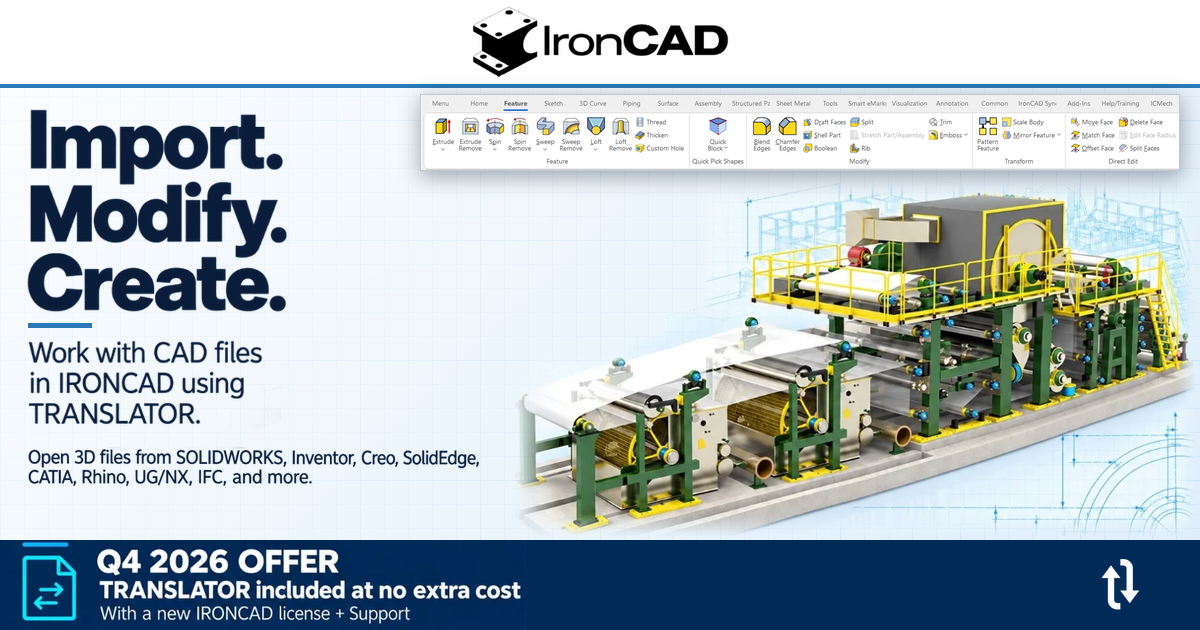
published
|
October 27, 2026
With TRANSLATOR , you can import a wide variety of 3D file formats and modify them directly without needing to keep a history.
IRONCAD In its basic version, it can import (and export) many different neutral 3D file formats, such as STEP, Parasolid, ACIS, STL, and IGES. Sometimes you may need to import additional file formats saved in the program in which they were created. That’s when TRANSLATOR comes in handy!
TRANSLATOR is an "Add-On" to IRONCAD and normally costs 7,900 SEK + VAT. Updates to TRANSLATOR are included in the support for the corresponding IRONCAD license. See the list below for additional formats.
There's currently a promotion where, if you order a new IRONCAD license with support , you'll receive a TRANSLATOR license at no extra cost!
This is a great opportunity to address the need to handle many different file types, which can then be edited directly in IRONCAD —often more easily than in the original program. This promotion is valid only through December 2026.
Contact us for a quote tailored to your needs!
SolidWorks.sldprt, .sldasm, .prt, .asm 98–2026
Inventor.ipt, .iam V11 – V2026
CATIA V5 . CatPart, .CatProduct, .cgr V5R8 – V5-6R2026 Import & Export
Solid Edge . par, .asm, .psm V18 – SE 2026
UG NX.prt11 – NX 2512
Pro/E (Creo) . prt, .asm16 – Creo 12.0
JT.jt8 – 10.2, 10.3, 10.5 – 10.11
Architect / BIM.ifc IFC 2×3, 4×2, 4×3
Rhinoceros .3dm V2 – V8
DXF / DWG.dxf, .dwg 2.5 – 2026
See more here: https://www.solidmakarna .se/tillagg/translator

Answer: On the News page we publish news, updates and important information about IRONCAD, Design Data Manager, Rhinoceros and our trainings and courses. You will find everything from program updates, new features and tips to invitations to courses and seminars.
Answer: We post news as soon as there is relevant information - for example, when new versions of IRONCAD, DDM or Rhinoceros are released, or when we start new training courses. This way, you can always stay up to date with the latest in CAD and product data management.
Answer: The news is aimed at designers, CAD users, project managers and anyone working with IRONCAD, DDM or Rhinocerosas well as people who want to develop their skills through our training courses. The information is relevant for both new users and experienced professionals.
Answer: Yes, you can subscribe to our newsletter or follow us on social media to get the latest information on program updates, courses and tips directly in your inbox.
Answer: Of course we share tips and guides, but these are published on our support blog. On Current you will mainly find news, updates and information about programs and trainings, while the blog provides deeper instructions and practical solutions for IRONCAD, DDM and Rhinoceros.
Answer: When we publish courses or seminars on Current Affairs, there is always clear information on the date, location and registration. You can register directly via our training page or contact us for more information.
Answer: Yes! We appreciate suggestions from our users and customers. If you have ideas or tips on topics related to IRONCAD, DDM, Rhinoceros or training, please contact us via our contact form. We will be happy to address relevant topics in future news posts.
Answer: We always try to specify whether the news applies to a particular version of IRONCAD, DDM or Rhinoceros. Also, many updates and tips work for multiple versions, but we always specify if something is limited to newer versions.
Answer: By following News, you will receive information that will help you use the programs more efficiently, learn about new features right away, and avoid common mistakes in CAD projects. The news complements your training and daily work, keeping you ahead of the curve in your design work.
Answer: Yes, we often link directly to guides, how-to videos or blog posts that explain new features. In addition, you can participate in our training courses for a deeper understanding and practical training in IRONCAD, DDM and Rhinoceros.