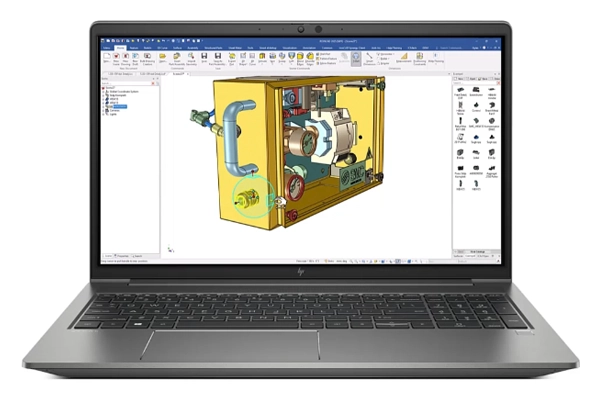
Looks like you don't have ESC button on your device
Choose one of the following options
trial versionHas a license

Looks like you don't have ESC button on your device
Choose one of the following options
trial versionHas a licenseWoodLAB is a 3D CAD/CAM solution for interior design and woodworking: design in 3D, optimize sheet material, and send finished programs directly to CNC machines such as Biesse, Homag, and SCM.
Over 1000+ satisfied customers



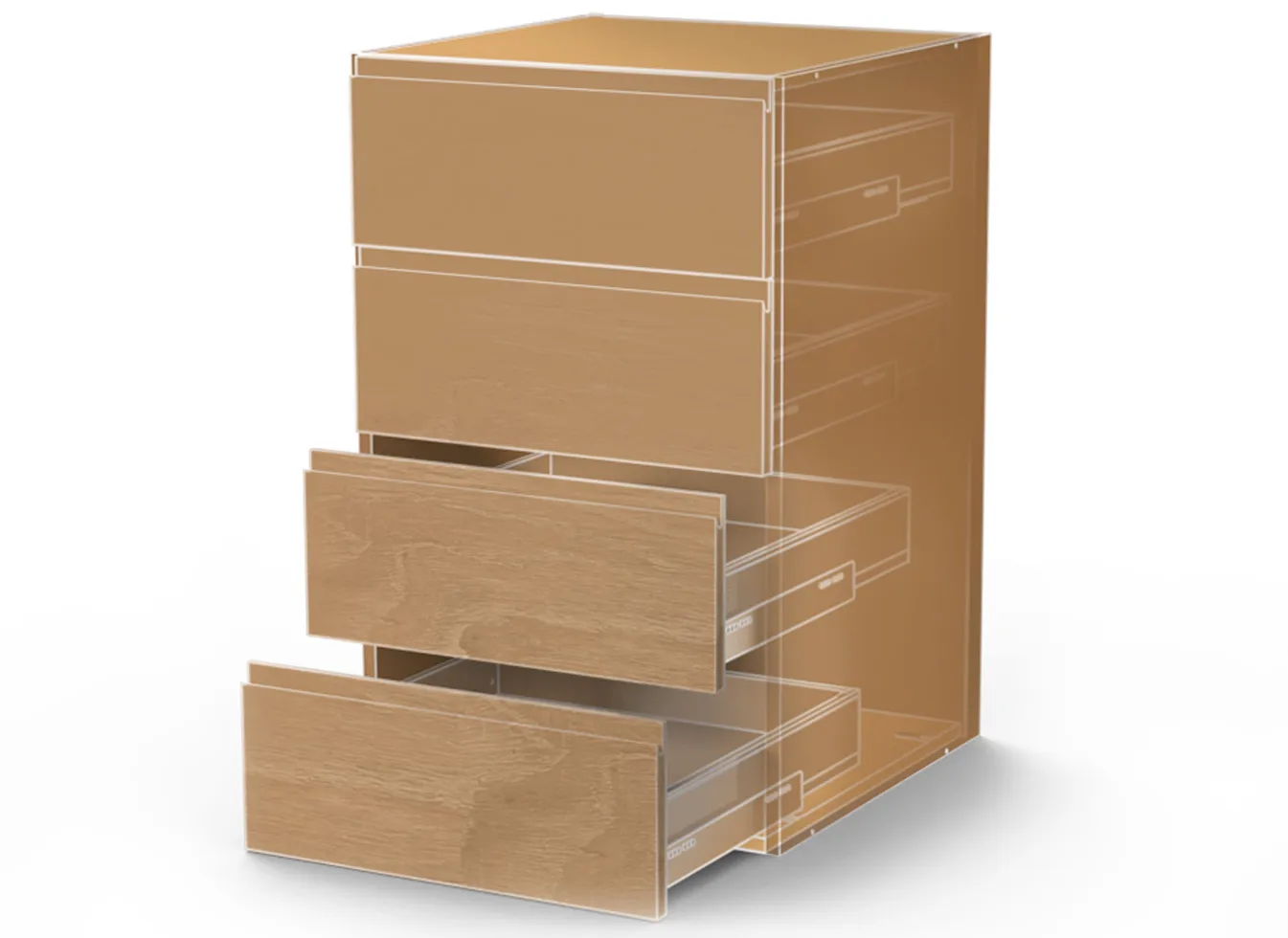
WoodLAB is a cost-effective and uniquely user-friendly solution. The program is based on IRONCAD , which is very easy to use. With WoodLAB , you get additional features and CAM programs tailored to creating interior design and furniture.
The lengthy (and therefore costly) learning curve previously associated with this type of solution has now been reduced to a minimum. You’ll see increased productivity quickly. WoodLAB can be adapted to various CNC routers from the most common manufacturers, such as Homag, Biesse, Masterwood, SCM, Busatello, and Morbidelli. A single program can export to multiple CNC manufacturers.
Of course, you should be able to try out a program for yourself before deciding to buy it. We offer you a free 30-day trial of the complete solution! You’ll also get access to free online training materials. With the help of videos on WoodLAB ACADEMY, you’ll gain a basic understanding of how WoodLAB works. Plus, you’ll get answers to your questions and help getting started from the knowledgeable team at support. You’ll also have access to basic training at IRONCAD to learn how to create everything you might need, such as shelves made of bent sheet metal, metal brackets, and more.Check out the training materials on YouTube
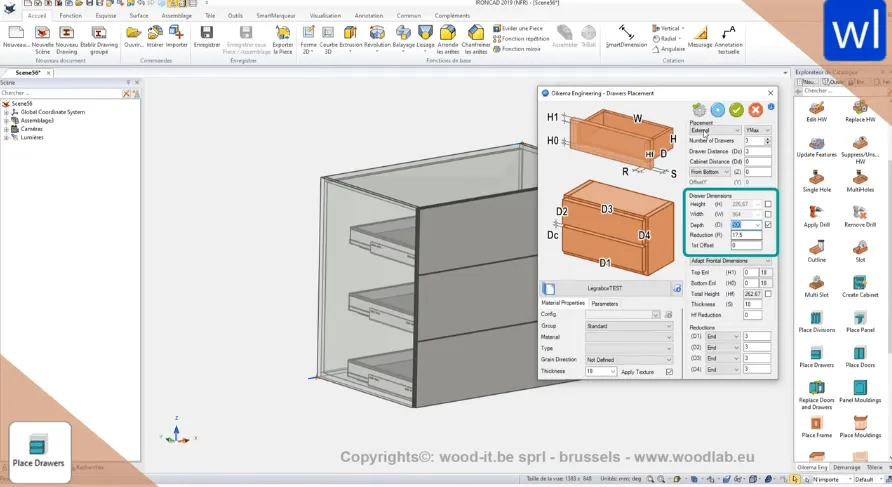
WoodLAB uses catalogs with smart tools that users can easily drag and drop directly into the 3D environment. The tools can include functions such as placing drawers in a cabinet, adding shelves, holes, hinges, or doors. The catalogs are bidirectional, so you can easily save pre-created parts, such as complete cabinets in various models. It’s then very quick to create a new cabinet by dragging in an existing one and adjusting the size by dragging the handles! If you want to change from 2 drawers to 3—one mouse click is all it takes! Everything updates automatically as you make changes, and the NC code for the CNC machine can be updated automatically. You can use libraries of ready-made 3D parts from companies like Blum. You’ll automatically receive lists of components and material usage so you can easily calculate the cost of the entire project.
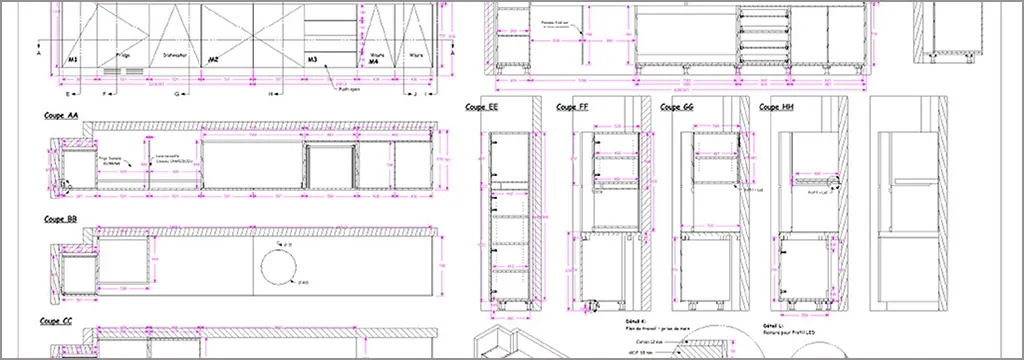
If you want to create 2D drawings, WoodLAB is an excellent choice. You can easily select which 3D detail or assembly you want to display in the drawing, and all the desired views are generated instantly.
Easily create cross-sections and detailed views. The dimensioning tools are easy to use. Everything becomes very clear to the viewer. An exploded view with an accompanying parts list simplifies assembly instructions. If you make any changes to the 3D model, the entire drawing—including sections—is automatically updated. The drawing can also be exported as a PDF, DWG, or DXF file. IRONCAD also includes a complete 2D solution that makes it easy to work with your own and others’ DWG files.
When you design in WoodLAB , it’s naturally easy to see what furniture or interior elements look like from different angles and perspectives. This not only makes the design phase easier; the 3D environment can also be used to create compelling images and marketing materials. Of course, it’s easier for a client to say yes to a project if it’s presented in a compelling way.You can apply different types of materials directly to the 3D models in the CAD environment. This allows you to simulate the finished solution as closely as possible. You can even create animations showing how a piece of furniture should be assembled. You can take a photo of the room or space where the furnishings will be placed and use it as a background! The possibilities with WoodLAB are endless!

WoodLAB CAM is suitable for joineries that have CNC controlled machines and milling machines. WoodLAB CAM receives information from WoodLAB CAD about what is to be produced, and is an automatic CAM solution. It is therefore not a CAM program with a typical programming interface. WoodLAB Instead, CAM operates on rules that are used to interpret various machining and drilling operations that are sent from WoodLAB CAD as they apply:
All customizations were created by our technician during the installation of WoodLAB CAM at your facility. It is very easy to modify these or create new rules yourself. WoodLAB CAM is installed with a post-processor tailored to your woodworking shop’s CNC machine. WoodLAB CAM generates the control programs directly in the language used by the machine. This process occurs automatically from start to finish once the user has designed their interior in WoodLAB CAD.

WoodLAB is a CAD/CAM solution for interior design and furniture based on IRONCAD. WoodLAB CAD is used to design cabinets, drawers, shelves, and complete interior layouts in 3D, WoodLAB Plan optimizes material usage on panels, and WoodLAB CAM generates ready-to-run programs for the CNC machine.
WoodLAB can be adapted to the most common machine brands, including Homag, Biesse, Masterwood, SCM, Busatello, and Morbidelli. A single program can export to multiple CNC machine brands. WoodLAB CAM is installed with a post-processor that is compatible with your machine.
WoodLAB CAM is an automated, rule-based CAM solution without a traditional programming interface. It interprets machining operations and drilling commands from WoodLAB CAD based on rules regarding available tools and machine specifications, and generates control programs directly in the machine’s language. The rules are set up during installation and can be modified by you.
The learning curve is short because WoodLAB uses drag-and-drop from catalogs: drawers, shelves, holes, hinges, and doors are placed directly in 3D, and their size is adjusted by dragging the handles. Free training materials are available at WoodLAB ACADEMY, and you have access to basic training at IRONCAD.
Yes. 2D drawings with views, sections, detail views, and exploded views are created from the 3D model and exported as PDF, DWG, or DXF files. Lists of components and material requirements are generated automatically, and the 3D environment can be used to create rendered sales images and assembly animations. Libraries of ready-made 3D parts from manufacturers such as Blum can be used.
Yes. Solidmakarna We offer a free 30-day trial of the complete solution, along with free online training materials and support to help you get started. Feel free to schedule a demo.