Looks like you don't have ESC button on your device
Choose one of the following options
trial versionHas a license

Looks like you don't have ESC button on your device
Choose one of the following options
trial versionHas a licenseMultiPhysics For IRONCAD , FEM analysis is integrated into IRONCAD: stress, strain, natural frequency, thermal, and electrostatic analysis. Try it free for 30 days.

MultiPhysics is the FEM program that is fully integrated into IRONCAD. Apply loads and fixations directly to the structure and see the stresses and deformations it experiences, without having to export the model to a separate analysis program. If you change the geometry, the analysis is updated with the click of a button. All modules are included with the installation of IronCAD DCS and can be tried for free for 30 days.
MultiPhysics It is used in the middle of the design process, not afterward. The designer applies loads and fasteners to their own model, runs the analysis, and immediately sees where the stress becomes too high or the material too thick. Change the geometry, run it again, compare. Once the dimensions are finalized, the report is generated with the push of a button, including loads, materials, and results in the units you’ve selected. The result is fewer prototypes, less overdesign, and documentation that can be presented to the customer.
MultiPhysics Performs calculations involving voltage, heat, and electrostatics, using static, dynamic, and frequency-based solvers. The results are displayed in the units of your choice, with animations of the deformation and a reporting tool for documentation.
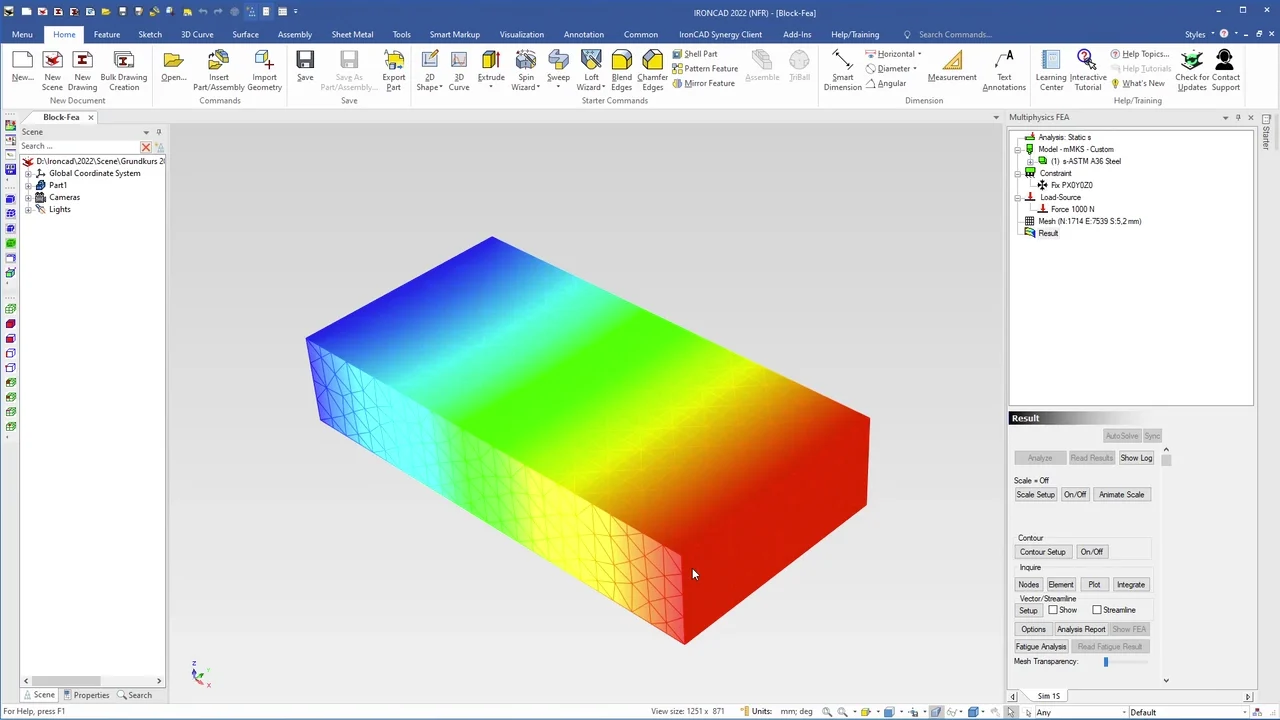
Static analysis provides maximum and minimum stress values and displays the deformation as an animation. Assemblies are treated as merged within the mesh, which is sufficient in most cases, and surfaces can be divided so that a force acts only on a portion of the surface.
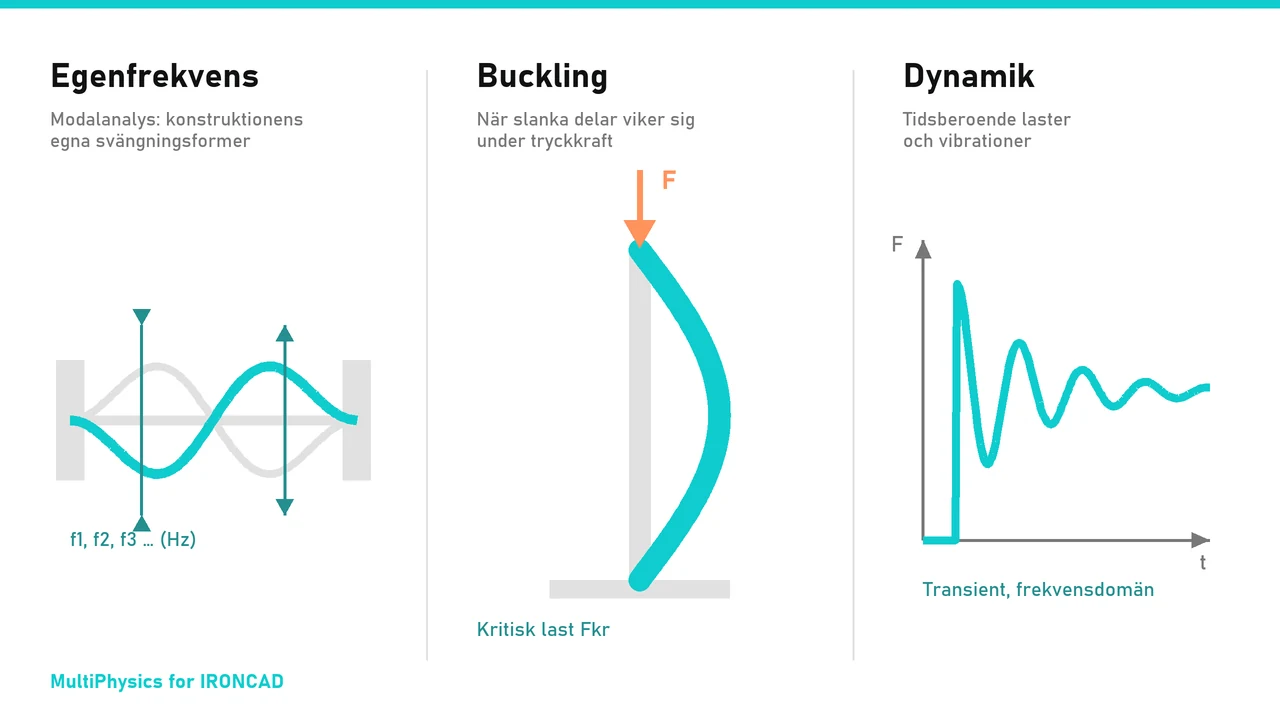
Modal analysis determines the natural frequencies of a structure, buckling analysis shows when slender members buckle, and dynamic/transient analysis and frequency-domain analysis handle time-dependent loads and vibrations.
The same model and the same mesh are used for thermal analysis of heat flows and for electrostatic analysis, without the need for any modifications.
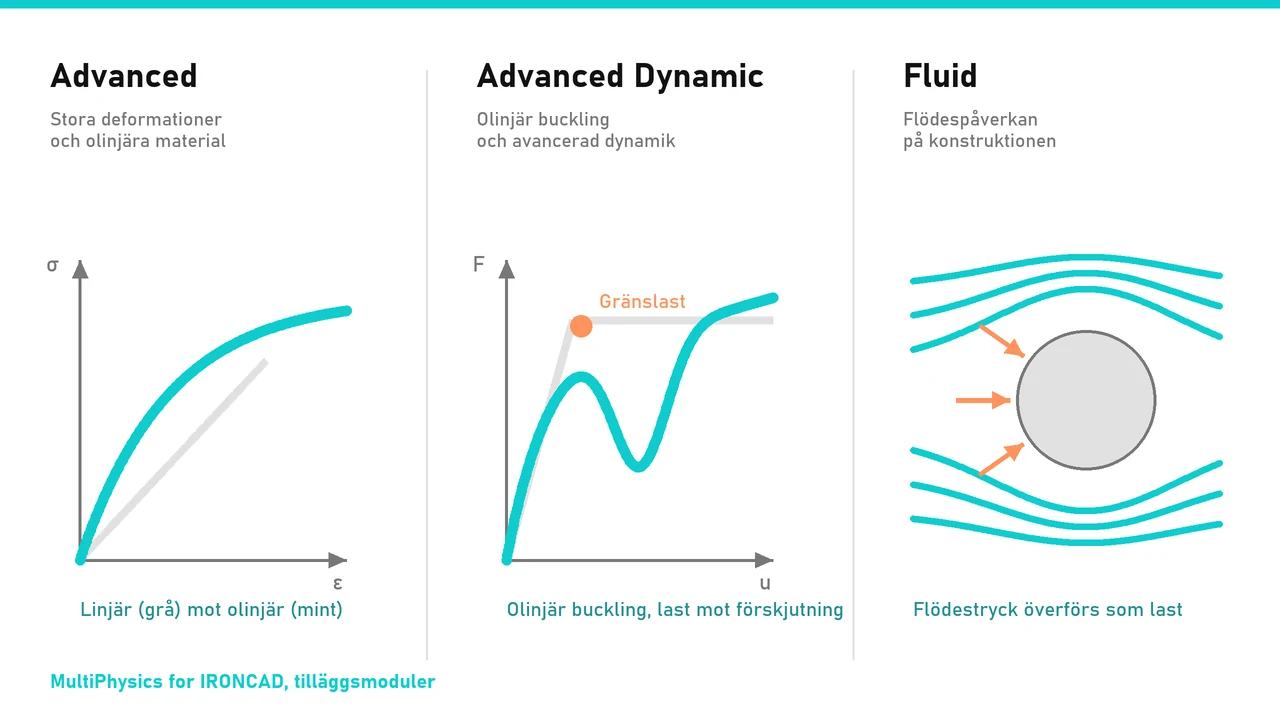
Advanced adds large deformations and nonlinear materials; Advanced Dynamic adds nonlinear buckling and advanced dynamics; and Fluid adds the effects of fluid flow on the structure.
MultiPhysics IRONCAD Basic covers the most common needs: stress analysis with maximum and minimum results, deformation with animation, summaries, split surfaces, natural frequencies, an editable material library, reporting tools, and powerful mesh tools. If you need more, you can choose Advanced, Advanced Dynamic, or Fluid.
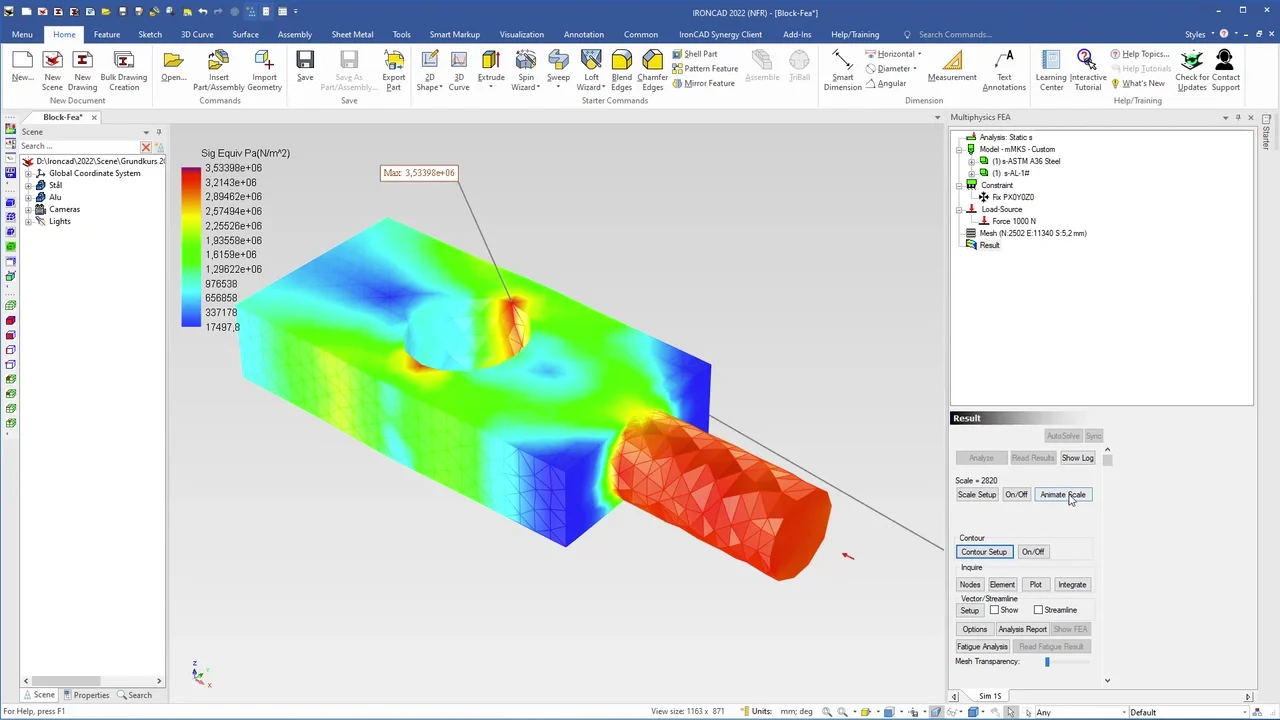
IronCAD Academy offers two exercises that walk you through a complete FEM calculation: first, a strength analysis of a part directly in the 3D scene, followed by two parts made of different materials. The videos are in Swedish and last a total of 18 minutes.
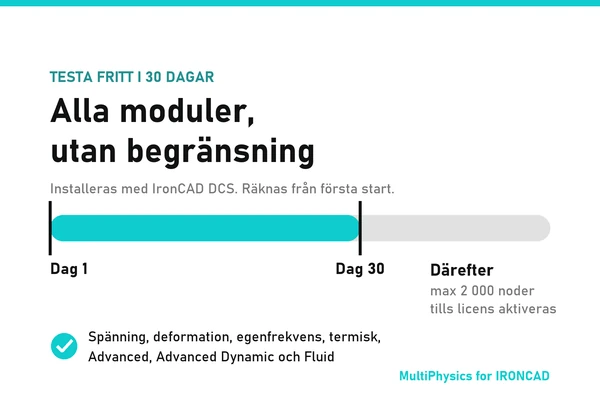
MultiPhysics It is installed as a complete package along with IronCAD DCS. From the very first launch, you can try all modules without restriction for 30 days. After that, the program will continue to function with a limit of 2,000 nodes, so you can keep exploring the interface until a license is activated. Contact Solidmakarna us for a license.

MultiPhysics is FEM software that is fully integrated into IRONCAD. You can perform structural analysis directly on your design and see the stresses and deformations it experiences under a given load. If the geometry changes, the analysis is updated with the click of a button.
Stress, thermal, and electrostatic analysis, including the following analysis types: static, dynamic/transient, modal (natural frequency), buckling, and frequency domain. The Advanced, Advanced Dynamic, and Fluid add-ons extend the capabilities to include large deformations, nonlinear materials, nonlinear buckling, and fluid effects.
MultiPhysics IRONCAD Basic—which most users employ—analyzes stress using maximum and minimum values, deformation using animation, assemblies treated as merged within the mesh, split surfaces so that force acts on a portion of the surface, natural frequencies, an editable material library, reporting tools, and powerful mesh tools.
MultiPhysics It is installed as a complete package along with IronCAD DCS. You can try all modules without restriction for 30 days from the first launch. After that, the program will operate with a limit of 2,000 nodes until a license is activated.
Yes. The program is designed for everyone from beginners to advanced users, with results clearly displayed in the desired units and a reporting tool.
No. Since MultiPhysics is integrated into IRONCAD , you don't need to export models to an external program. Geometry, loads, and results are all handled within the same environment.