Subscribe to new posts

Don't miss any important updates or tips and tricks. Enter your details to receive an email whenever we publish something here.

Thank you for your subscription!
Oops! Something went wrong.

Subscribe to new posts

Support blog

highlight
Clear all

Category

Clear

Archive

Clear
Tag
Control of Name in the History Tree

November 12, 2026

3D Scene (ICS)

2026

2026

Control of Name in the History Tree

Skill level:

Intermediate

It's easy to change what appears as the label in the history tree...

How to Choose the Right Graphics Card Settings for " IRONCAD " and Other Programs in Windows 11

November 9, 2026

3D Scene (ICS)

Frequently Asked Questions (FAQ)

2026

2026

How to Choose the Right Graphics Card Settings for " IRONCAD " and Other Programs in Windows 11

Skill level:

Do you have a computer with both an integrated and a dedicated graphics card? Here's how to switch to the right graphics card.

Graphical rotation point on the screen

October 28, 2026

3D Scene (ICS)

2026

2026

Graphical rotation point on the screen

Skill level:

Beginner

When rotating with the camera tool, a colored spherical shape appears around the center of rotation

Import and Feature Recognition with v2027

September 24, 2026

3D Scene (ICS)

2026

2026

Import and Feature Recognition with v2027

Skill level:

Beginner

Import and " Feature " Recognition in " IRONCAD " 2027: Convert imported shapes into actual extrusions and features directly upon import, ready for editing.

The Stretch tool with v2027

September 17, 2026

3D Scene (ICS)

2026

2026

The Stretch tool with v2027

Skill level:

Intermediate

Stretch is a powerful and easy-to-use tool that works incredibly well with assemblies and parts...

Webinar: What's New in " IRONCAD " v2027

September 17, 2026

Recorded webinars

3D Scene

2026

2026

Webinar: What's New in " IRONCAD " v2027

Skill level:

Intermediate

Here, you can watch our previous webinar, in which we walk through the new features in IRONCAD v2027...

Extrude to an External Reference Surface

September 15, 2026

3D Scene (ICS)

2026

2026

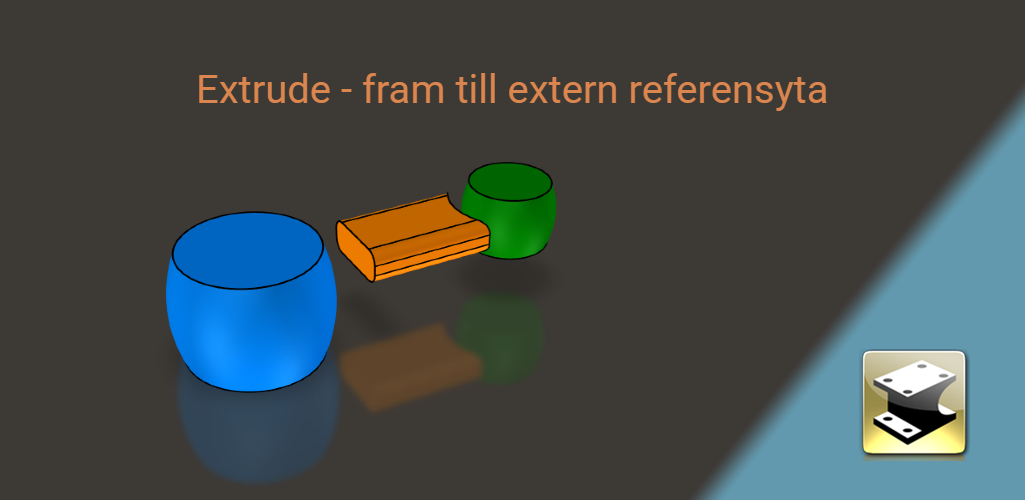
Extrude to an External Reference Surface

Skill level:

Intermediate

An extrusion in IRONCAD can now terminate at a surface in another part. Here's how to use an external reference surface as a terminator and how the link is updated when changes are made.
It is recommended that Smart App Control be disabled for IRONCAD

September 14, 2026

Installation and troubleshooting

2026

2026

It is recommended that Smart App Control be disabled for IRONCAD

Skill level:

The Windows 11 feature Smart App Control is designed to protect your computer by, among other things, controlling which programs are allowed to run.

Flexible " Assembly " for linked models

September 10, 2026

3D Scene (ICS)

2026

2026

Flexible " Assembly " for linked models

Skill level:

Advanced

Use the same linked assembly, but set different positions of the included objects...

Move TriBall freely in space with v2027

September 3, 2026

3D Scene (ICS)

2026

2026

Move TriBall freely in space with v2027

Skill level:

Beginner

TriBall is an incredibly useful tool for moving and copying objects in the 3D scene...

Camera Management with v2027

September 1, 2026

3D Scene (ICS)

2026

2026

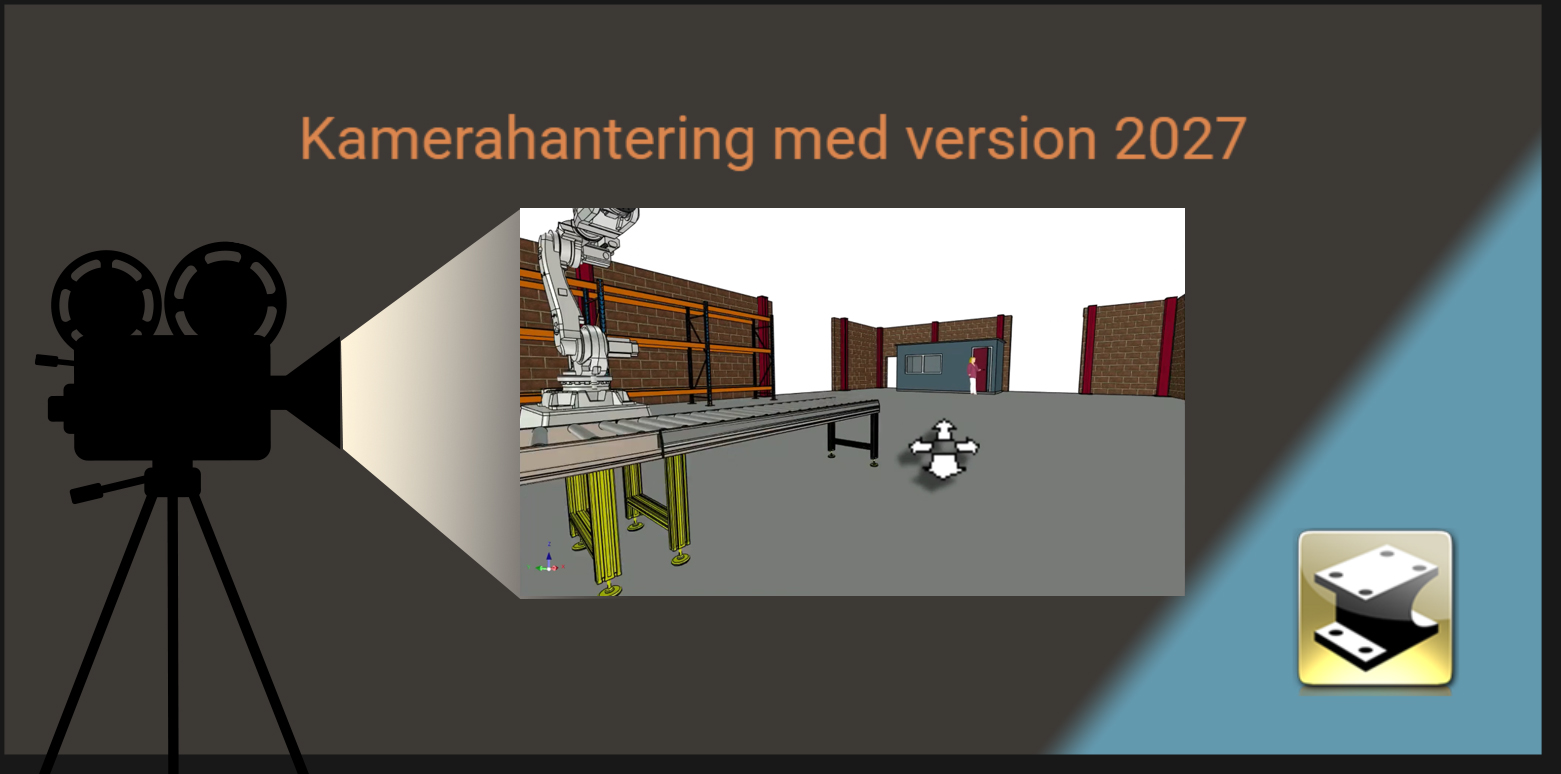
Camera Management with v2027

Skill level:

Beginner

New ways to use the camera in " IRONCAD " 2027: Here's how to rotate, pan, and zoom more quickly in the 3D scene and save your own views for later use.
Sweep Shape, New Options with v2027

August 27, 2026

3D Scene (ICS)

2026

2026

Sweep Shape, New Options with v2027

Skill level:

Intermediate

The Sweep command now includes new options for controlling the direction from the profile plane...

Color Vision Deficiency - Catalog of Alternative Colors

August 20, 2026

Frequently Asked Questions (FAQ)

3D Scene

2026

2026

Color Vision Deficiency - Catalog of Alternative Colors

Skill level:

Beginner

We recommend using the colors in this catalog, which are designed for people with color vision deficiencies...

IronCAD DCS 2027 has been launched

June 3, 2026

Updates

2026

2026

IronCAD DCS 2027 has been launched

Skill level:

IronCAD LLC has released version 2027 of the IronCAD DCS. Here, we summarize the most important new features and explain how you, as a customer with a support contract, can access it.
Packaging of IronCAD Collaboration Suite 2026

June 1, 2026

Installation and troubleshooting

2026

2026

Packaging of IronCAD Collaboration Suite 2026

Skill level:

Instructions for packaging/deployment of IronCAD Collaboration Suite 2026

SP2 for IRONCAD

May 29, 2026

Updates

Installation and troubleshooting

2026

2026

SP2 for IRONCAD

Skill level:

Service Pack 2 (SP2 or 2026.00.02.0) for IRONCAD has now been released...
Convert imported model to sheet metal

May 28, 2026

Sheet Metal

2026

2026

Convert imported model to sheet metal

Skill level:

Intermediate

It's super easy to use an imported 3D model that you can then unfold, cut out, and bend.

Create a realistic thread

May 14, 2026

3D Scene (ICS)

2026

2026

Create a realistic thread

Skill level:

Intermediate

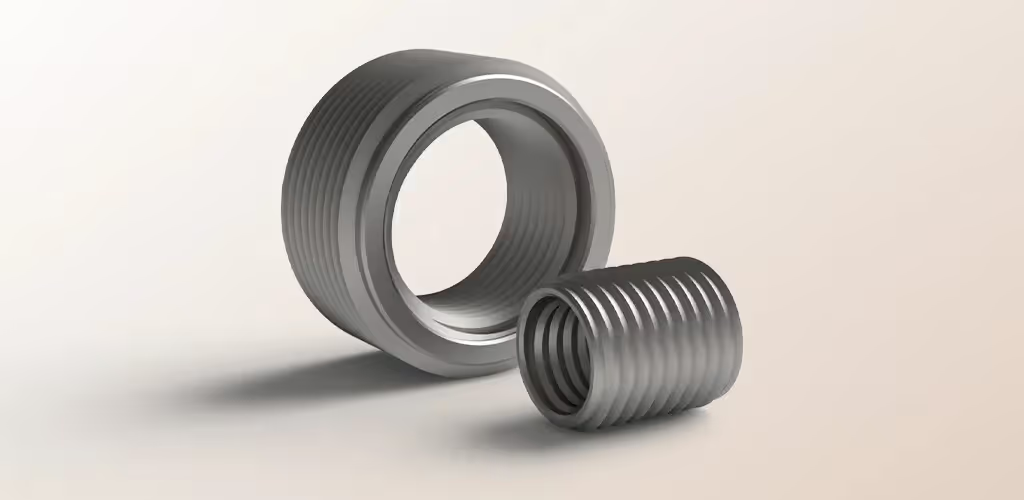
In some cases, you may need to create a realistic thread in 3D CAD. Perhaps you want to print a screw or a socket nut on your 3D printer?

SP2 for IRONCAD PU1

April 30, 2026

Updates

Installation and troubleshooting

2026

2026

SP2 for IRONCAD PU1

Skill level:

Service Pack 2 (SP2 or 2025.01.02.0) for IRONCAD has now been released...

Manage the unit of volume

March 26, 2026

Frequently Asked Questions (FAQ)

3D Scene

2026

2026

Manage the unit of volume

Skill level:

Intermediate

To change whether the volume unit displays cubic meters or cubic centimeters, do the following...

Combine freedom with constraints in IRONCAD

March 5, 2026

3D Scene (ICS)

3D Scene

2026

2026

Combine freedom with constraints in IRONCAD

Skill level:

Advanced

With IRONCAD, you can combine "complete freedom" with "nearly fully defined objects," which leads to interesting solutions...

Draw stairs in 3D easily with IRONCAD Steel Stairs

February 19, 2026

IC Mechanical

3D Scene

2026

2026

Draw stairs in 3D easily with IRONCAD Steel Stairs

Skill level:

Creating stairs in 3D has never been easier! With IRONCAD, the IC Mechanical , and the Steel Stairs feature, you can quickly design steel stairs with…

Position with complete control

February 5, 2026

3D Scene (ICS)

3D Scene

2026

2026

Position with complete control

Skill level:

Intermediate

With IRONCAD, you can combine several different methods for controlling the position of objects in the 3D scene...

Webinar: What's new in IRONCAD

January 28, 2026

Recorded webinars

3D Scene

2026

2026

Webinar: What's new in IRONCAD

Skill level:

Intermediate

Watch our recorded webinar, where we go over what's new in " IRONCAD " 2026: new features, improvements, and tips for your daily work.
Coordinate measurements with or without arrows

January 20, 2026

Frequently Asked Questions (FAQ)

2D Drawing

2026

2026

Coordinate measurements with or without arrows

Skill level:

Intermediate

How do you turn off the display of arrows on the coordinate measurement setting in the 2D drawing?

How to fix the "mfc140u.dll is missing" error in IRONCAD and other programs)

January 19, 2026

Installation and troubleshooting

2026

2026

How to fix the "mfc140u.dll is missing" error in IRONCAD and other programs)

Skill level:

IRONCAD (and many other programs) are built using Microsoft's 2015 development tools. These programs require certain "runtime libraries" to function.

20 Free fonts for laser cutting 2026

January 14, 2026

Sheet Metal

2026

2026

20 Free fonts for laser cutting 2026

Skill level:

We've updated our list for 2026 with 20 hand-picked, completely free fonts. Just download and start using them!

Insert all or part of Solidmakarnas Swedish Metric customization afterwards.

January 12, 2026

Frequently Asked Questions (FAQ)

Installation and troubleshooting

2026

2026

Insert all or part of Solidmakarnas Swedish Metric customization afterwards.

Skill level:

Sometimes it may be necessary to make adjustments and incorporate all or part of the Swedish adaptation of Solidmakarnas after the fact.

Wallpapers for version 2026

January 8, 2026

Other

2026

2026

Wallpapers for version 2026

Skill level:

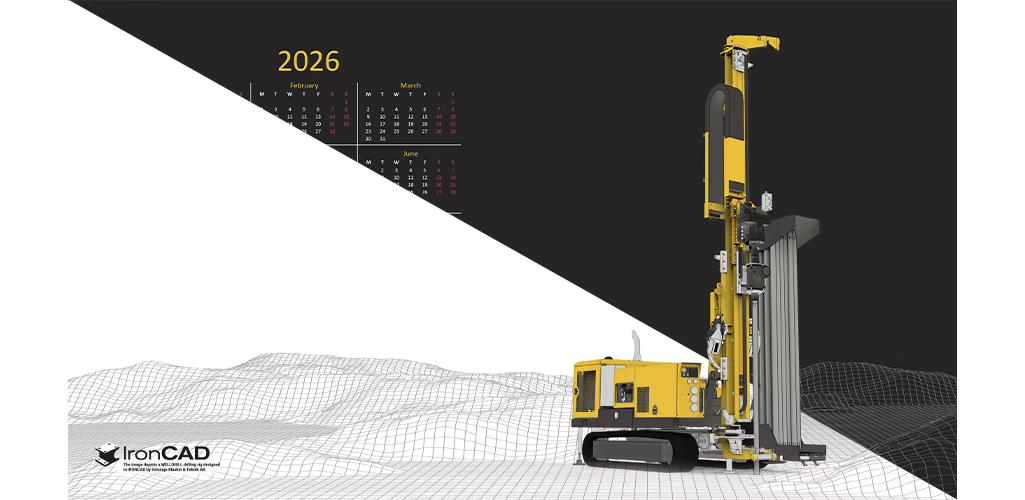
We've created wallpapers with and without calendars. This time, we used a 3D model of a WELLDRILL drilling rig from our IRONCAD user Ornunga…

Gingerbread house building with IRONCAD

December 23, 2025

Other

3D Scene

2025

2025

Gingerbread house building with IRONCAD

Skill level:

Just before Advent, Daniel, as is his custom, downloads a demo version of the latest edition of * IRONCAD* and begins brainstorming ideas for the family’s annual…

Turn off Tips & Tricks messages

December 18, 2025

Frequently Asked Questions (FAQ)

2025

2025

Turn off Tips & Tricks messages

Skill level:

Beginner

Here's how to turn off the Tips & Tricks notifications that appear when IRONCAD launches, and how to turn them back on if you want the tips to reappear.
Create pins and holes in IRONCAD

December 11, 2025

IC Mechanical

Sheet Metal

2025

2025

Create pins and holes in IRONCAD

Skill level:

Beginner

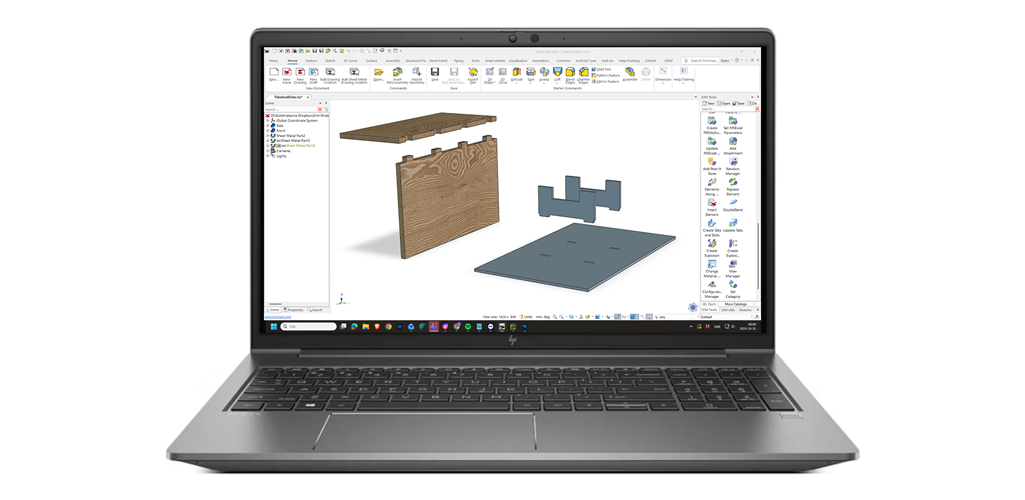
This feature is included in IC Mechanical —a powerful add-on for IRONCAD that makes it quick and easy to create mechanical parts.
IRONCAD COMPOSE  more than a 3D viewer

2025-12-02

Other

Self-Studies

2025

2025

IRONCAD COMPOSE more than a 3D viewer

Skill level:

Beginner

With our free 3D viewer COMPOSE , you COMPOSE open and view both 3D and 2D files...

The 6 best sites for free 3D model downloads for 3D CAD 2025

2025-11-21

3D Scene (ICS)

Import / Export

2025

2025

The 6 best sites for free 3D model downloads for 3D CAD 2025

Skill level:

Download millions of free 3D models and import directly into IRONCAD. Here are the top 6 sources in 2025 + link to 30 days free trial.

Change what is shown in the POS balloons in the drawing

2025-11-19

2D Drawing (ICD)

2025

2025

Change what is shown in the POS balloons in the drawing

Skill level:

In this post, we'll show you how to easily add your own value to the POS callouts in your 2D drawings and BOM templates.

How to get solid lines for upward bends and dashed lines for downward bends

2025-10-30

2D Drawing (ICD)

Sheet Metal

2025

2025

How to get solid lines for upward bends and dashed lines for downward bends

Skill level:

Intermediate

Learn how to change bend lines in IRONCAD so that lines that are supposed to bend upward appear as solid lines and those that bend downward appear as dashed lines.

Divide a part several parts or merge several parts into one part

October 23, 2025

Frequently Asked Questions (FAQ)

3D Scene

2025

2025

Divide a part several parts or merge several parts into one part

Skill level:

Beginner

A part need to be divided into several different parts, or there may be several different parts that need to be merged into one...

IronCAD 2026 is launched

2025-10-21

Updates

2025

2025

IronCAD 2026 is launched

Skill level:

IronCAD LLC has released version 2026 of the IronCAD DCS. Here, we summarize the most important new features and explain how you, as a customer with a support contract, can access it.

The history of IRONCAD, 30 years ago

September 24, 2025

Other

2025

2025

The history of IRONCAD, 30 years ago

Skill level:

On October 24, 1995, the TriSpectives software was released, which three years later would be transformed into IRONCAD...

Focus on easy camera management

2025-09-17

Frequently Asked Questions (FAQ)

3D Scene

2025

2025

Focus on easy camera management

Skill level:

Intermediate

The camera is very easy to use as only the scroll wheel on the mouse is required to rotate...

How to Reset " IPRO" Settings in IC Mechanical (Clear All Application Settings)

2025-09-16

IC Mechanical

Frequently Asked Questions (FAQ)

2025

2025

How to Reset " IPRO" Settings in IC Mechanical (Clear All Application Settings)

Skill level:

How to reset the " IPRO" settings in the IC Mechanical using the Reset Button (Clear All Application Settings). Error during UI initialization.

Why not Diameter handles on a Cylinder?

2025-09-10

Frequently Asked Questions (FAQ)

3D Scene

2025

2025

Why not Diameter handles on a Cylinder?

Skill level:

Beginner

On a Cylinder, would it be easier with only the handles D (for Diameter) instead of W and L?

The difference between a Part a Feature

August 12, 2025

Frequently Asked Questions (FAQ)

3D Scene

2025

2025

The difference between a Part a Feature

Skill level:

Beginner

It can be difficult to understand the difference between a Part a Feature. Can you explain it in simple terms?

SP1 for IRONCAD 2025 PU1

2025-07-22

Updates

Installation and troubleshooting

2025

2025

SP1 for IRONCAD 2025 PU1

Skill level:

Service Pack 1 (SP1 or 2025.01.01.0) for IRONCAD 2025 Product Update 1 has now been released...

Happy summer!

2025-07-02

Other

2025

2025

Happy summer!

Skill level:

We at Solidmakarna wish you a great summer! July 7 - August 8, the response times from support may be slightly longer than normal...

Symbol library for ISO 7000

2025-06-17

2D Drawing (ICD)

2025

2025

Symbol library for ISO 7000

Skill level:

Beginner

There are a large number of standardized symbols according to ISO 7000 and it is easy to insert such images into a 2D drawing...
Expanded metal as a standard component

2025-06-12

3D Scene (ICS)

2025

2025

Expanded metal as a standard component

Skill level:

Beginner

It's easy to create your own library of standard components, including expanded metal...

Lock 3D model that cannot be modified

2025-06-11

3D Scene (ICS)

2025

2025

Lock 3D model that cannot be modified

Skill level:

Intermediate

Sometimes you want to know that a 3D model cannot be moved, rotated or change shape...

IC Mech Code Generator, create more properties

2025-06-09

IC Mechanical

3D Scene

2025

2025

IC Mech Code Generator, create more properties

Skill level:

Intermediate

Code Generator allows you to automatically generate and assign names, numbers and/or descriptions etc. from values related to the model...

Choose your default catalog

2025-06-03

Frequently Asked Questions (FAQ)

3D Scene

2025

2025

Choose your default catalog

Skill level:

Intermediate

Did you know that you can control which catalog is displayed directly when you create a new 3D scene?

PU1 for IRONCAD 2025

2025-05-21

Updates

Installation and troubleshooting

2025

2025

PU1 for IRONCAD 2025

Skill level:

Product Update 1 (PU1) for IRONCAD 2025 has been released, featuring new features and quality improvements. See what's new and how to install it.
The catalog explorer extends across the entire screen

2025-05-20

Frequently Asked Questions (FAQ)

2025

2025

The catalog explorer extends across the entire screen

Skill level:

For some users, when switching between 3D and 2D, the catalog explorer (catalogs) is extended across the screen. Here's how to get around this problem...

Kinematic mechanism in IRONCAD

2025-05-06

3D Scene (ICS)

2025

2025

Kinematic mechanism in IRONCAD

Skill level:

Intermediate

Are you interested in being able to test a kinematic movement/mechanism on your models in IRONCAD...

Assembly Pattern in IRONCAD

2025-04-29

3D Scene (ICS)

3D Scene

2025

2025

Assembly Pattern in IRONCAD

Skill level:

Advanced

Use Assembly Pattern to create associative patterns of parts and assemblies...

Bend and twist models with the Bend tool

2025-04-24

3D Scene (ICS)

2025

2025

Bend and twist models with the Bend tool

Skill level:

IRONCAD 2025 will be packed with smart new features—and one of them is the new Bend tool.

Can't launch IRONCAD on Windows 11?

2025-04-14

Bug fixes

2025

2025

Can't launch IRONCAD on Windows 11?

Skill level:

For some users running IRONCAD 2024 SP2 and earlier, a Windows update has caused an error that prevents IRONCAD from starting.

Three quick tips to speed up dimensioning in 2D drawing

2025-04-09

2D Drawing (ICD)

2D Drawing

2025

2025

Three quick tips to speed up dimensioning in 2D drawing

Skill level:

Adjusting dimensions and dimension lines using the "U" key. Selection filter for snapping using the Space bar.

2D drawing in IRONCAD - features, tips and news

2025-04-03

Recorded webinars

2D Drawing

2025

2025

2D drawing in IRONCAD - features, tips and news

Skill level:

Intermediate

You can follow our previous webinar where we go through tips and tricks with the 2D drawing in IRONCAD...

News in DDM 2025.01

2025-04-03

DDM

2025

2025

News in DDM 2025.01

Skill level:

Discover new features in Workbench, Administrator, DDM Web Dashboard and a brand NEW greatly improved interface for IRONCAD users...
Can't you place a logo/image on a 2D drawing via drag and drop from the explorer?

2025-03-28

Frequently Asked Questions (FAQ)

2D Drawing

2025

2025

Can't you place a logo/image on a 2D drawing via drag and drop from the explorer?

Skill level:

Some of our users have encountered problems when trying to drag and drop a logo or image onto the drawing template; a prohibition sign appears at…

Online Workshop - DDM 2025.01 - March 19

2025-03-10

DDM

2025

2025

Online Workshop - DDM 2025.01 - March 19

Skill level:

An Online Workshop for DDM 2025.01, will be held via Zoom on March 19 at 14:00 (UK time) by CSI.

Can't you print drawings in IRONCAD 2025?

2025-03-07

Frequently Asked Questions (FAQ)

2D Drawing

2025

2025

Can't you print drawings in IRONCAD 2025?

Skill level:

Some users have problems printing ICD 2D drawings in IRONCAD 2025. Read here for the fix...

SP1 for IRONCAD 2025

2025-02-26

Updates

Installation and troubleshooting

2025

2025

SP1 for IRONCAD 2025

Skill level:

Service Pack 1 (SP1) for IronCAD DCS 2025 has been released. Here you can see the fixes included in SP1 and how to download and install the update.

Converting a summary to a simplified part

2025-02-18

3D Scene (ICS)

2025

2025

Converting a summary to a simplified part

Skill level:

Intermediate

We are sometimes asked what is the easiest way to create a compact (simplified) part a whole assembly. This can usually be divided into three steps...

Display of border lines via keyboard shortcut

2025-02-11

3D Scene (ICS)

2025

2025

Display of border lines via keyboard shortcut

Skill level:

Intermediate

With a simple keyboard shortcut, you can quickly switch between showing and hiding borders.

Resetting DDM

2025-02-05

DDM

Frequently Asked Questions (FAQ)

2025

2025

Resetting DDM

Skill level:

Beginner

Are you missing buttons or menus in the DDM that do not seem to be recoverable...

Extinguishing with Suppress in comparison with Hide or Ghost

2025-02-04

3D Scene (ICS)

2025

2025

Extinguishing with Suppress in comparison with Hide or Ghost

Skill level:

Intermediate

The Suppress function is intended to be used for objects in the 3D scene that should not be visible and when it should be so over a longer period of time...

Merry Christmas and Happy New Year 2025!

2024-12-17

Other

2024

2024

Merry Christmas and Happy New Year 2025!

Skill level:

We at Solidmakarna would like to wish you a Merry Christmas and a Happy New Year 2025!

How to turn off the blue TriBall icon at the Anchor Point?

2024-12-05

Frequently Asked Questions (FAQ)

3D Scene

2024

2024

How to turn off the blue TriBall icon at the Anchor Point?

Skill level:

A recurring question to us at support is if and how to turn off the TriBall icon that sometimes gets in the way?

Webinar: IRONCAD is incredibly versatile

2024-11-28

Recorded webinars

3D Scene

2024

2024

Webinar: IRONCAD is incredibly versatile

Skill level:

Intermediate

You can follow our previous webinar here where we go through the strengths of different approaches in IRONCAD...

Black/blinking screen with HP docking station?

2024-10-29

Other

Installation and troubleshooting

2024

2024

Black/blinking screen with HP docking station?

Skill level:

Beginner

Do you have a problem with an occasionally flashing screen or it going black irregularly? We have a likely solution to this problem...

Webinar: The IPROActiveManager super tool

2024-10-17

Recorded webinars

IC Mechanical

2024

2024

Webinar: The IPROActiveManager super tool

Skill level:

Intermediate

You can follow our previous webinar here where we go through the super tool IPROActiveManager...

Beta test IRONCAD 2025

2024-10-16

Other

2024

2024

Beta test IRONCAD 2025

Skill level:

The official beta testing of version 2025 has now begun, and you can of course explore all the new features and test the version here...
SP2 for ironcad 2024 PU1

2024-10-10

Updates

Installation and troubleshooting

2024

2024

SP2 for ironcad 2024 PU1

Skill level:

Service Pack 2 (SP2) for IronCAD DCS 2024 PU1 has been released. Here you can see the fixes included in SP2 and how to download and install the update.

Self-studies, Sheet Metal with ironcad

2024-10-03

Sheet Metal

Self-Studies

2024

2024

Self-studies, Sheet Metal with ironcad

Skill level:

Beginner

You can learn a lot about the Sheet Metal module in ironcad on your own through our new self-study material.

Transparency and quick copies of holes using the TriBall

2024-09-20

3D Scene (ICS)

2024

2024

Transparency and quick copies of holes using the TriBall

Skill level:

By combining the strength of transparent parts and some clever tricks around TriBall copying, you get a very smooth workflow...

Different types of licenses for IRONCAD: USB dongle, software license, or network license

2024-09-18

License Activation

Frequently Asked Questions (FAQ)

2024

2024

Different types of licenses for IRONCAD: USB dongle, software license, or network license

Skill level:

In this post, we will go through the three main licensing options available for IRONCAD...

Error message DDM Office: Unable to find DDM_FILES record for DDM_System.ini on Vault.

2024-09-17

DDM

Installation and troubleshooting

2024

2024

Error message DDM Office: Unable to find DDM_FILES record for DDM_System.ini on Vault.

Skill level:

Have you started DDM Office and get the error message: Unable to find DDM_FILES record for DDM_System.ini on Vault. Please contact System Administrator?

How do I change the background color of the 3D scene in ironcad?

2024-09-16

Frequently Asked Questions (FAQ)

3D Scene

2024

2024

How do I change the background color of the 3D scene in ironcad?

Skill level:

A question we frequently receive at support is: "How do I change the background color in the 3D scene in IRONCAD?"

Various options for 3D graphics in ironcad

2024-09-09

3D Scene (ICS)

Installation and troubleshooting

2024

2024

Various options for 3D graphics in ironcad

Skill level:

Have you noticed that the graphics performance in the 3D scene in IRONCAD has deteriorated from one day to the next or after a reinstallation?

Reset Status Bar or Catalog Browser etc.

2024-09-09

Frequently Asked Questions (FAQ)

3D Scene

2024

2024

Reset Status Bar or Catalog Browser etc.

Skill level:

If you "lose" parts of the interface, you can easily get them back...

Error message DDM Office: Could not find the specified provider. It may not be properly installed.

2024-07-07

DDM

Installation and troubleshooting

2024

2024

Error message DDM Office: Could not find the specified provider. It may not be properly installed.

Skill level:

Have you started DDM Office and get the error message: Could not find the specified provider. It may not be properly installed? Read this post for solution...

Reusing Sheet Metal parts (Insert Part/Assembly)

2024-06-17

3D Scene (ICS)

Sheet Metal

2024

2024

Reusing Sheet Metal parts (Insert Part/Assembly)

Skill level:

When reusing sheet metal parts via Insert Part/Assembly , it is important to link them correctly, which is a simple step to…

SP1 for IRONCAD 2024 PU1

2024-06-10

Updates

Installation and troubleshooting

2024

2024

SP1 for IRONCAD 2024 PU1

Skill level:

Service Pack 1 (SP1) for IronCAD DCS 2024 PU1 has been released. Here you can see the fixes included in SP1 and how to download and install the update.

Hotfix for IRONCAD 2023 PU1 SP2

2024-06-06

Updates

Installation and troubleshooting

2024

2024

Hotfix for IRONCAD 2023 PU1 SP2

Skill level:

Hotfix for IronCAD DCS 2023 PU1 SP2 resolving issues with Windows 11 Explorer...

Webinar: Sheet Metal in IRONCAD

2024-05-30

Recorded webinars

Sheet Metal

2024

2024

Webinar: Sheet Metal in IRONCAD

Skill level:

Intermediate

You can follow our previous webinar here where we review Sheet Metal in IRONCAD...

PU1 for IRONCAD 2024

2024-04-29

Updates

Installation and troubleshooting

2024

2024

PU1 for IRONCAD 2024

Skill level:

Product Update 1 (PU1) for the 2024 IRONCAD s has been released, featuring new features and quality improvements. See what's new and how to install it.

Webinar: The sketch - Become more efficient!

2024-04-25

Recorded webinars

Sketch

2024

2024

Webinar: The sketch - Become more efficient!

Skill level:

Intermediate

You can follow here our previous webinar where we explain and show features of the sketch in IRONCAD

Greater control with the sketch in IRONCAD

2024-04-25

Guides (more comprehensive info)

Sketch

2024

2024

Greater control with the sketch in IRONCAD

Skill level:

The sketch in * IRONCAD * does not require "fully defined rules" through constraints to give you full control and precision, since there are several unique…

Keyboard shortcuts from previous version (XML files)

2024-04-10

3D Scene (ICS)

Installation and troubleshooting

2024

2024

Keyboard shortcuts from previous version (XML files)

Skill level:

IRONCAD collects all keyboard shortcuts in an XML file. Formatting the file makes it easier to understand, and it’s easy to copy the contents into…

Do you not work with planes in IRONCAD?

2024-04-04

Frequently Asked Questions (FAQ)

3D Scene

2024

2024

Do you not work with planes in IRONCAD?

Skill level:

Yes, all the time. Here’s how the work plan works in IRONCAD: how to position, rotate, and work according to the plan using TriBall and the sketch, without getting stuck in a history.

Learn Structured Part modeling

2024-03-28

Guides (more comprehensive info)

Structured Part

2024

2024

Learn Structured Part modeling

Skill level:

Here you get a basic understanding of how to build and modify parts of type Structured Part in IRONCAD...

Basics of drafting and mechanics with ironcad

2024-03-21

Guides (more comprehensive info)

Self-Studies

2024

2024

Basics of drafting and mechanics with ironcad

Skill level:

Learn the basics of drawing techniques and mechanics to create accurate 2D drawings and how to apply it with IRONCAD.

DDM IRONCAD Workshops

2024-03-20

DDM

2024

2024

DDM IRONCAD Workshops

Skill level:

Beginner

There are quite a few DDM tutorials you can check out to learn more about how to use DDM and IRONCAD together...

How do I create an engraving/etching on the surface of a part?

2024-03-08

3D Scene (ICS)

2024

2024

How do I create an engraving/etching on the surface of a part?

Skill level:

This post describes how to create an engraving or etching on the surface of a part and then export the part to a DXF file, so you can use it as a…

Show the cutting result on a part from a tube laser in IRONCAD

2024-02-27

3D Scene (ICS)

2024

2024

Show the cutting result on a part from a tube laser in IRONCAD

Skill level:

Intermediate

A question that has appeared more frequently on the Support is "How can I show the cutting result on a part from a tube laser in IRONCAD?".

DDM Focus Workshop – PDF Watermarks

2024-02-27

DDM

2024

2024

DDM Focus Workshop – PDF Watermarks

Skill level:

Recording of the Focus Workshop " DDM " on PDF Watermarks: How to add watermarks—such as status, revision, and date—to PDF drawings created from DDM.

Clear green lines in the 3D scene graphics

2024-02-12

Frequently Asked Questions (FAQ)

3D Scene

2024

2024

Clear green lines in the 3D scene graphics

Skill level:

Are there green lines or dashes stuck on the screen in the 3D scene in * IRONCAD*? Here's how to clear the graphics and identify the cause of the problem.

Shared ICD template with unique properties

2024-02-09

2D Drawing (ICD)

2D Drawing

2024

2024

Shared ICD template with unique properties

Skill level:

Intermediate

Are you one of several people at your company who use IRONCAD to create 2D drawings using ICD templates that are supposed to be virtually identical?

I can't see the 3D models when editing the sketch via Edit Cross-Section?

2024-01-31

Frequently Asked Questions (FAQ)

Sketch

2024

2024

I can't see the 3D models when editing the sketch via Edit Cross-Section?

Skill level:

Remember to keep an eye on the settings to the left when editing lines in the sketch...

No results. Please try another search option.
Thank you! Your submission has been received!
Oops! Something went wrong while submitting the form.