Looks like you don't have ESC button on your device
Choose one of the following options
trial versionHas a license

Looks like you don't have ESC button on your device
Choose one of the following options
trial versionHas a licenseLAST CHECKED:
October 22, 2026

Emil Rindell

Jonas Bryntesson

Henrik Andersson
PUBLISHED:
September 24, 2026
Emil Rindell
Jonas Bryntesson
Henrik Andersson
September 24, 2026
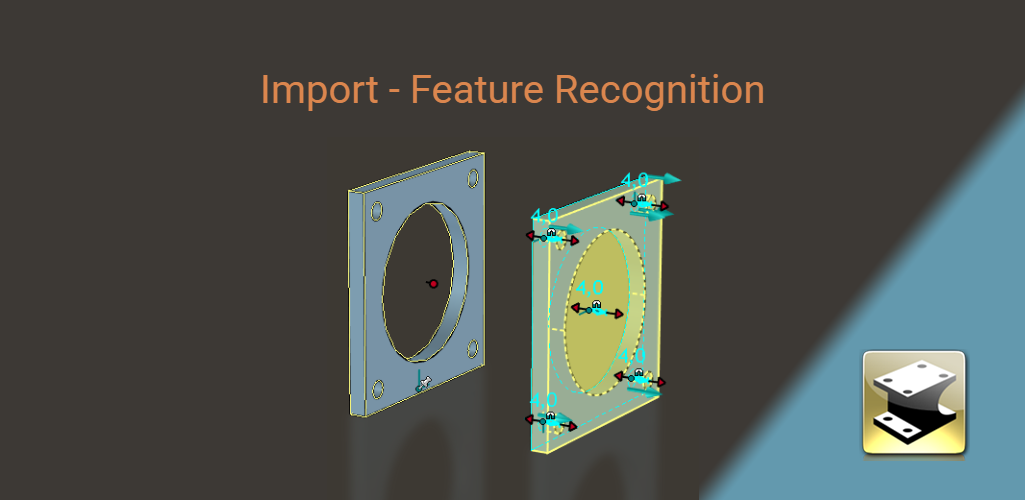
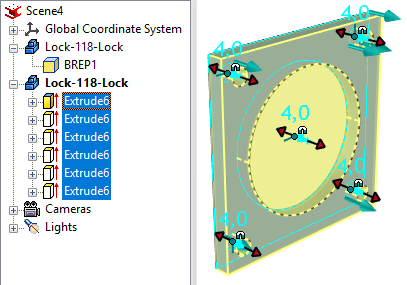
Version 2027 introduced a new import setting that utilizes shape recognition features (known as “feature ” recognition), which have been available in the program for a long time but were not previously run automatically during the import process. By allowing the program to read the topology that defines the geometry—displayed as so-called “BRep” shapes (Boundary Representation) under the part in the tree—the imported shapes can be split up and placed as individual features under the part in the history tree.
Background
IRONCAD offers easy-to-use and smart tools for modifying imported models without the need to define any specific features for this purpose. You can modify the “lump of geometry” known as “BRep” directly using handles or TriBall, without requiring any “history” of features. This approach is called Direct Face Modeling and was first developed by HP back in the 1980s. After a series of developments throughout the 1990s, it became a key foundation of the CAD system that would later be known as IRONCAD when it was released in 1998.
Since IRONCAD does not rely on standalone and “fully defined” features to make changes to imported geometry, implementing a feature like this has not been considered truly necessary in the past. However, this does not mean that the need does not exist, since these standalone features make it easy to modify lines in the sketch using handles or to drive dimensions on lines in the sketch via a parameter table. While this may not have been a common requirement historically with “ IRONCAD ” models, it has become a natural part of the workflow for some users over the past 10–15 years.
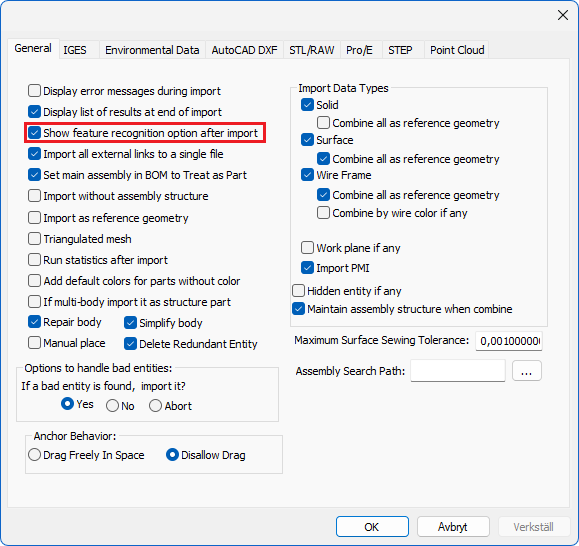
Feature Under " Import Options," there is a new option: "Show ' feature ' recognition option after import. "
During import, a message appears asking if you want to import features into the model being imported; select Yes or No.
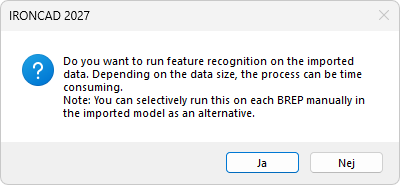
NOTE: If you select "No," the BRep data remains intact, and the standard DFM functions continue to work just as well as usual.
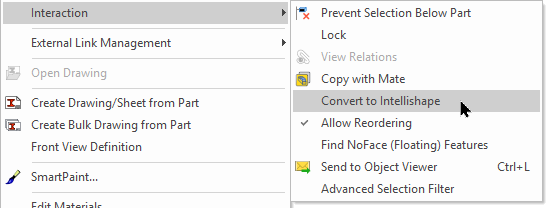
You can also run this function retroactively via the right-click menu “Interaction” ( at the “ Part ” level) and the “Convert to IntelliShape” option. This process, which converts imported models into extrusions, can therefore be performed retroactively even on models that were imported into a 3D scene previously, regardless of how long ago that occurred.

Answer: Here we publish tips, guides, news and solutions for those who work with IRONCAD and Design Data Manager (DDM). The blog covers everything from basic functions to advanced workflows, helping you to optimize your design work. You'll find examples of smart shortcuts, practical instructions, solutions to common problems, and best practices for product design, mechanical design, and product data management.
Answer: Our guides and tips are designed for both beginners and experienced CAD users. They are aimed at designers, engineers and project managers who want to work more efficiently with IRONCAD and DDM, improve the design process, reduce mistakes and save time in product development.
Answer: We regularly publish new articles when the software is updated, when new features are introduced, or when our users ask for solutions to specific problems. The blog is therefore a reliable source for keeping up to date and getting tips that make everyday CAD work easier.
Answer: Many of our instructions and tips work in multiple versions, but we clearly indicate if an article applies to a specific version. We strive to make the content useful for older versions as well, and also provide recommendations on how to adapt workflows to the version you are using.
Answer: Absolutely! If you can't find the solution in the blog, you can contact our technical support via solidmakarna.support. Our experts will help you with everything from installation and configuration to advanced features in IRONCAD and DDM, so you can solve problems quickly and efficiently.
Answer: Yes! We appreciate suggestions from our users. If you have questions, tips or want us to address a specific issue in IRONCAD or DDM , please contact us via our contact form and we will prioritize relevant topics in future posts.
Answer: The blog contains, among other things:
Practical step-by-step guides to help you use IRONCAD and DDM more effectively.
Productivity and workflow tips for faster design and construction.
Solutions to common problems encountered by users in CAD programs.
Updates and news on new features, versions and improvements.
Best practices for data management and project organization in DDM.
Answer: All tips and guides are directly applicable in daily work. For example, you can use shortcuts and smart features in IRONCAD to speed up modeling, structure files better in Design Data Manager, or follow our step-by-step solutions for specific problems that often come up in design projects.
Answer: We strive to ensure that all guides and tips are relevant to the latest versions of IRONCAD and DDM. We also clearly mark when a post applies to an older version, so you always know if the instruction is directly applicable to your system.
Answer: Yes! Many of our users share the articles with colleagues and use them as internal training materials. The blog is a great complement to formal training and helps teams learn features faster, avoid mistakes, and standardize workflows in IRONCAD and DDM.