


I can't download the installation file?
If you try to download the installation file using the MS Edge browser, it has built-in protection that prevents the installation file from running. You must approve (keep) the installation file, otherwise you will not be able to get started. The images show version 2022, but the same applies to newer versions of IronCAD downloaded using the MS Edge browser.

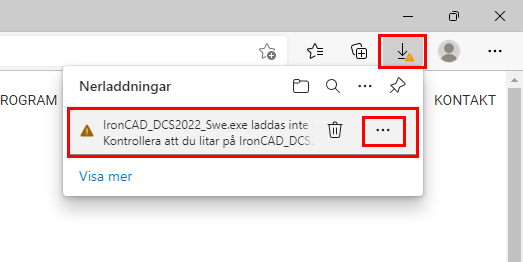
In the upper right corner of MS Edge, a warning appears next to the download arrow. Click on the download button, then hover your mouse pointer over the text. Two options will appear. Click on the three dots...
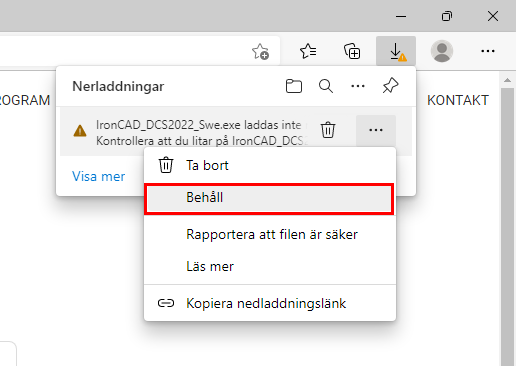
Then click on keep...
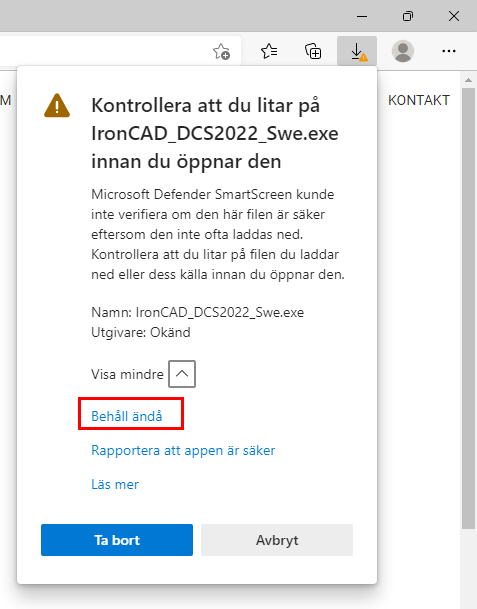
Click Show more...

...followed by Keep anyway.
Then click Show in folder...
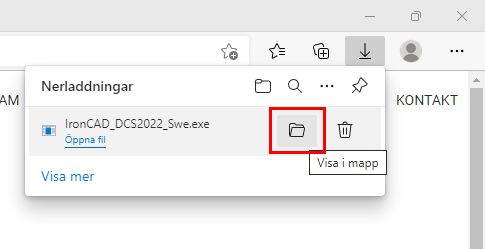
...and right-click on the installation file and select Run as administrator.
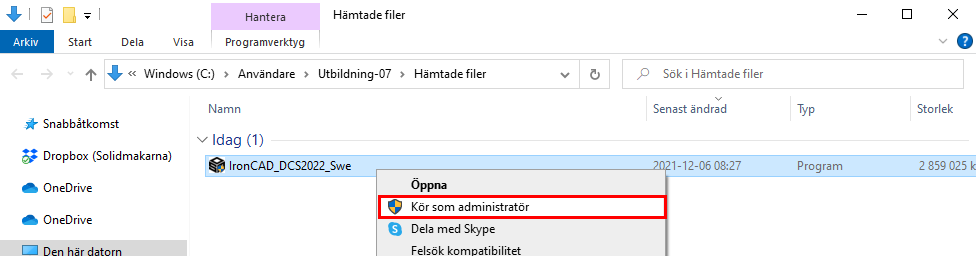
The installation will now start.
For installation instructions, scroll up to point 2 on this page.
Starter/Shapes directory not displayed?
If you cannot see your Starter/Shapes catalog with all the basic shapes, you need to open it manually. Press Open.

Navigate to this path:
C:\Program Files\IronCAD\**VERSION**\AppData\en-us\Catalogs\Scene
Scroll down the list and locate Starter.icc
Double-click the file or click Open.
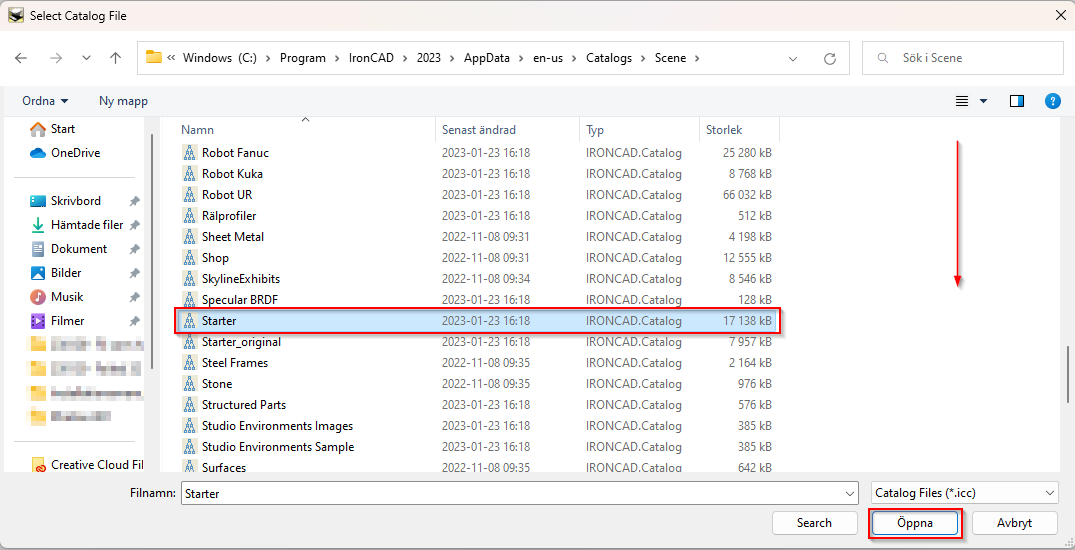
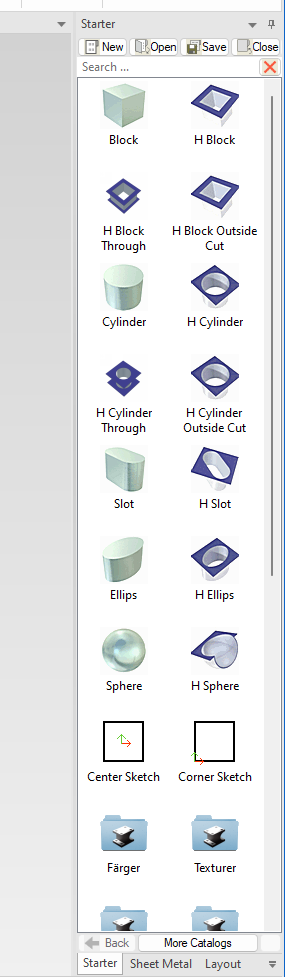
The catalog is now open and displayed on the right side of the program.
Why can't I place a view on my drawing?
This error is probably related to the "UAC" security features in Windows.
You need to start IRONCAD an administrator once to make it work.
Do this:
- Close IRONCAD.
- Right-click on the yellow IRONCAD desktop icon and select "Run as administrator."
- Allow IRONCAD up.
- Then close the program again immediately.
- Then start IRONCAD by double-clicking on the desktop icon (as usual).
- Then try to create a view of the 2D drawing.
How do I change the background colour in the 3D scene?
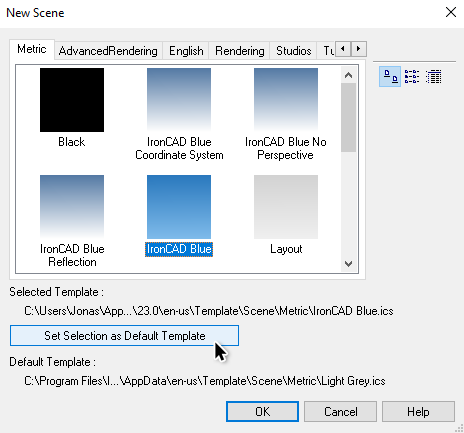
There are several ready-made 3D scene templates to choose from with similar settings but different background colors, e.g., "white," "blue," or "gray," etc.
Go to the New... button and select Scene and OK.
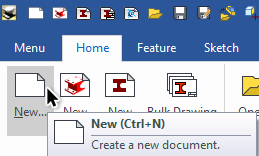
Select the 3D template you want to use as yourdefault template, then click the"
" button.
Why are my 2D drawing templates not visible?
You can read more about how to find your 2D drawing templates on our support blog.
https://www.solidmakarna.se/supportblogg/vart-hittar-jag-mina-2d-ritningsmallar
If you want to make any changes to the default settings on your drawing templates, you can find more information here.
https://www.solidmakarna.se/supportblogg/hur-andrar-jag-installningar-i-2d-ritningsmallarna
Another fairly common question we have heard concerns the coordinate measurement setting and whether or not to use its pillars.
https://www.solidmakarna.se/supportblogg/koordinatmatt-med-eller-utan-pilar
"There was an error reading the tooltbl.txt file" at startup?
This is usually because the decimal separator character in Windows has been changed from a comma to a period.
Installed via Live Update? See what you need to fix here.
Users who have downloaded and installed the US installation file via Live Update (or manually) are advised to readjust their installation. Please read here for instructions:
Metric adjustment of US installation
Can I keep previous installations in parallel?
Yes, you can use multiple versions in parallel and even simultaneously. Keep in mind that you cannot open files saved in a later (newer) version.
The startup screen freezes and the application does not start?
This is an issue that has been found to be caused by certain antivirus programs in some cases. To resolve this, you (or your IT department) must "whitelist" (approve) the IRONCAD.exe file and its path:
C:\Program Files\IronCAD\**VERSION**\bin