

Looks like you don't have ESC button on your device
Download IronCAD DCS
Choose one of the following options
trial versionHas a license

Looks like you don't have ESC button on your device
Choose one of the following options
trial versionHas a licenseEasily follow our customized training materials for 3D CAD. The materials cover the subject of CAD (Levels 1 and 2) in accordance with the Swedish National Agency for Education’s guidelines (GY25). Students and teachers can install and use IRONCAD free of charge. The license is valid for one year and can be easily renewed if you are still enrolled in school.
Download PDF descriptionOver 1000+ satisfied customers



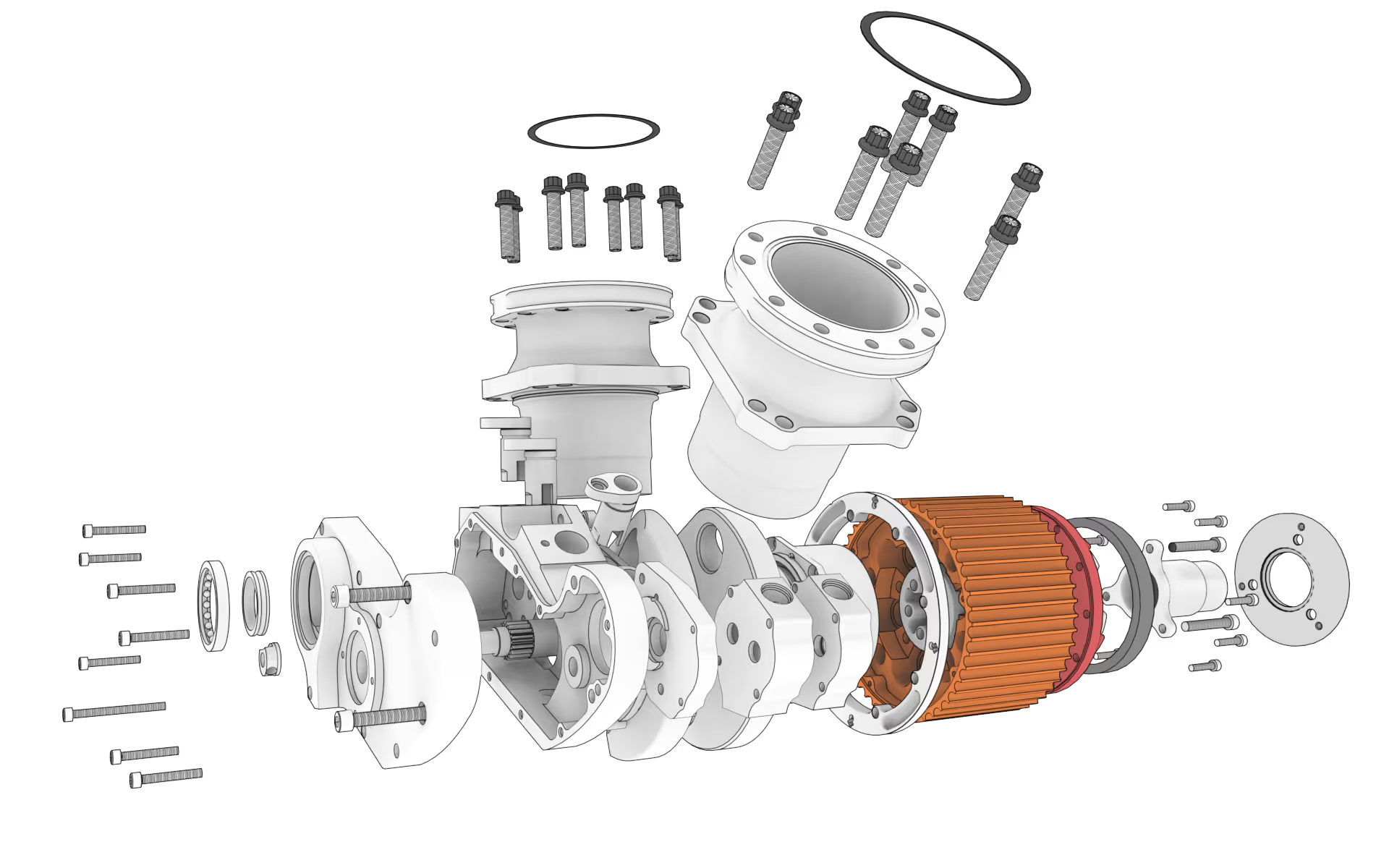
Exploded view of a Harley-Davidson V-Twin engine constructed in IRONCAD by Karling Racing Engines AB
Free 1-year student license
Follows the GY25 curriculum
Free CAD training materials
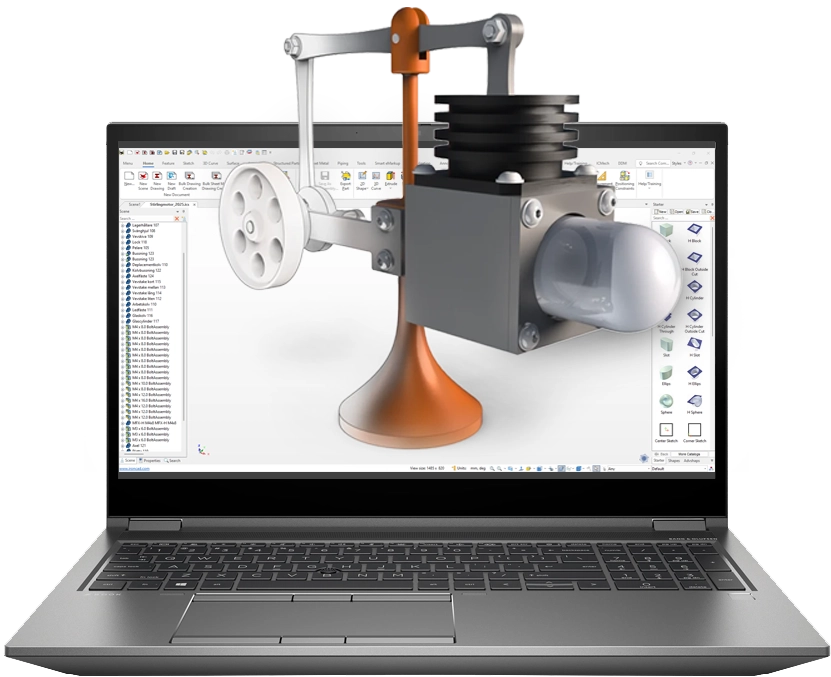
Since the material is available on the IronCAD website, it makes learning easier for students and teachers, who can access it whenever it suits them. Those who go through the material will gain a solid understanding of various methods for efficient 3D design and how to quickly generate 2D drawings from 3D models using associative features in IRONCAD.
Students and teachers can install and use IRONCAD free of charge. The license is valid for one year and can be easily renewed if you are still enrolled in school. To do so, simply submit a new application along with a valid student ID.
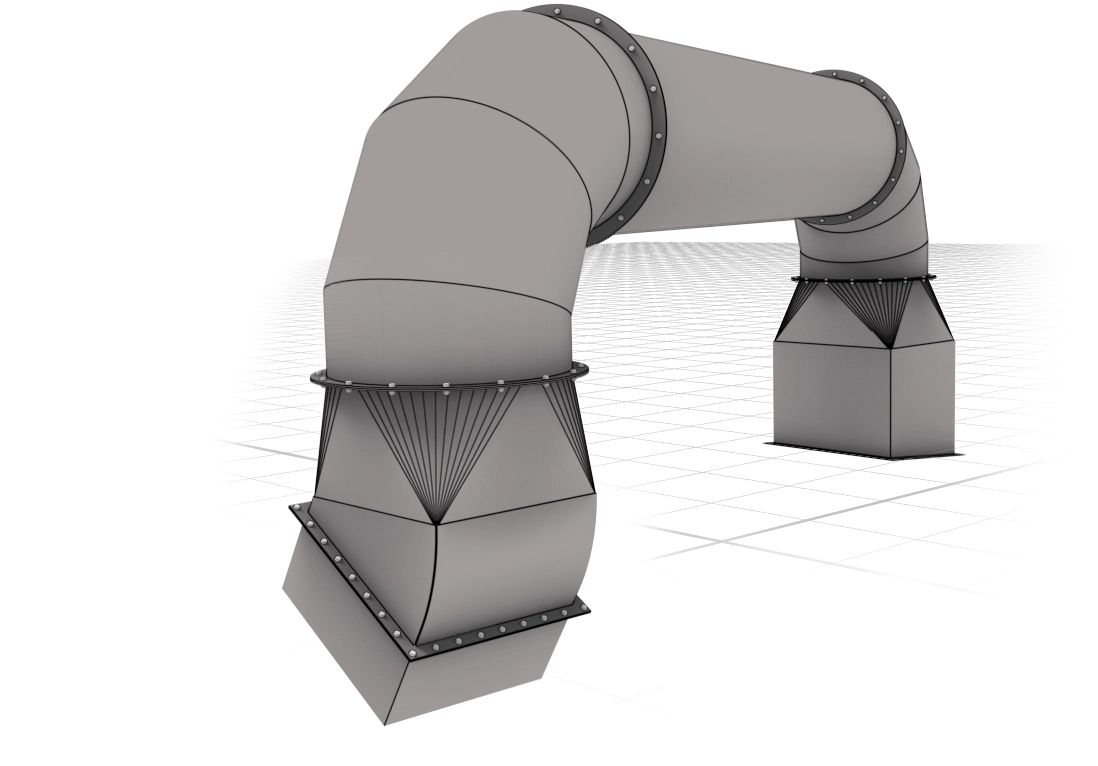
The image shows a ventilation duct designed in IRONCAD IVAB in Piteå
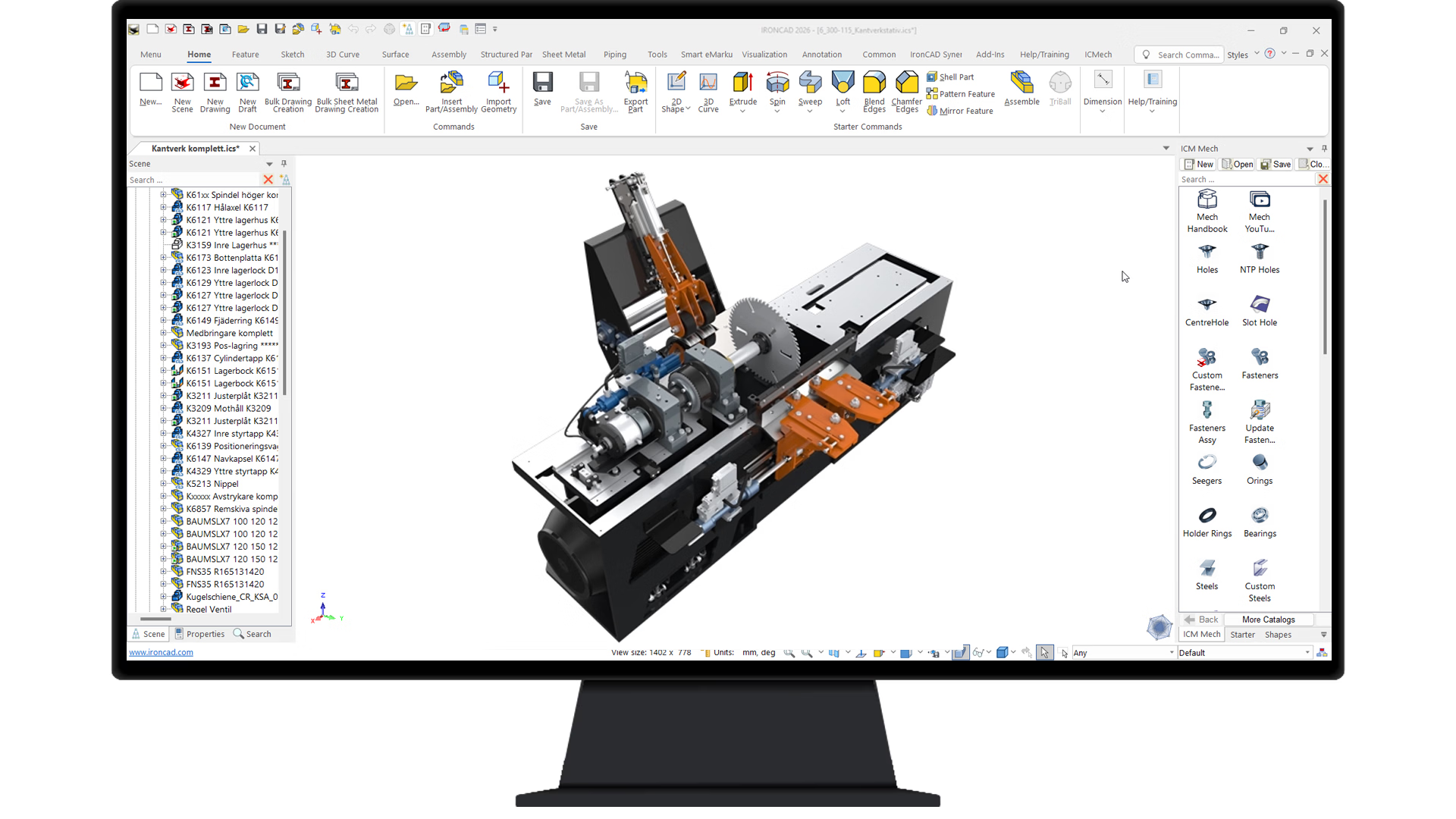
Sawmill machine designed in IRONCAD by Höga Kusten Teknikresurs AB
IRONCAD an intuitive and flexible 3D CAD program (with support for 2D drawings) that lets you design mechanical products in a natural and fast way—using drag-and-drop, push/pull tools, and TriBall instead of complicated constraints.
It’s one of the easiest CAD programs to get started with—you’ll learn quickly and can focus on design instead of complicated tools.
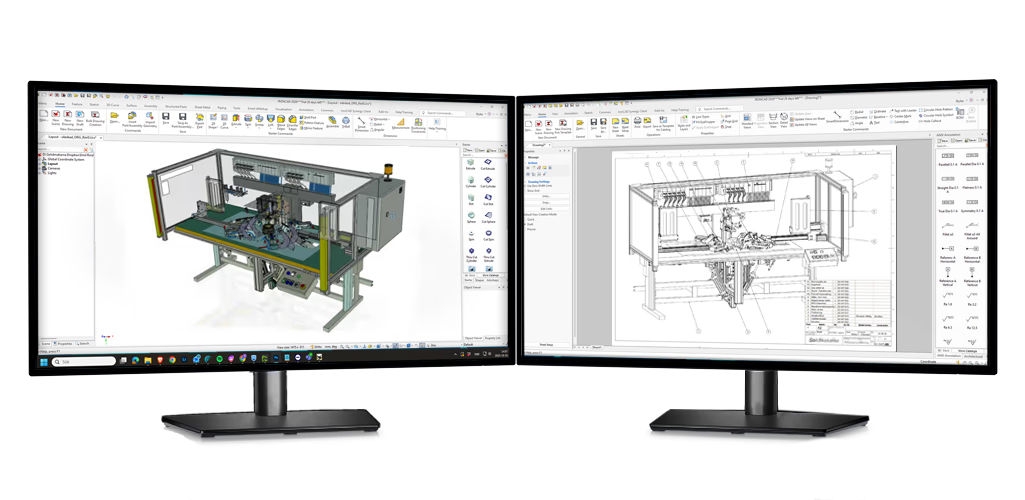
We have developed a series of handbooks for teachers and students that are used by several schools, such as Balderskolan in Skellefteå. Contact us at Solidmakarna to access this material.
Contact us
"You are incredibly good at providing feedback and finding accurate solutions."
Henrik Ljungbäcker, Stoeryd

"You consistently provide excellent service, truly outstanding"
Thomas Pettersson, HangOn AB

"Fantastic support. Always easy to get hold of someone. Knowledgeable people."
Robert Åberg, Quiptec AB
"IRONCAD meets our diverse design needs better than any other 3D system."
Urban Olars, NEFAB Packaging

"Quick and thoughtful responses from Solidmakarnas support"
Annika Lindholm, Aratron
"We have seen significant benefits from using IRONCAD."
Åke Lindholm, Husqvarna

"Solidmakarnas has outstanding support!"
Lennart Freidlitz, Innopend Teknikpartner AB
"It is impossible to create better training material than this. The learning process is truly effective."
Johan Hertz, Ankarsrum Electric Motors AB

"Everyone at Mixon is extremely satisfied with both IRONCAD and the support."
Birger Johansson, Mixon AB

"The best educational material I have seen across all categories."
Christer Lilja, Nominit

"Profits clearly increased after switching to IRONCAD."
Daniel Erlandsson, Lerocon
"You are incredibly good at providing feedback and finding accurate solutions."
Henrik Ljungbäcker, Stoeryd
"You consistently provide excellent service, truly outstanding"
Thomas Pettersson, HangOn AB
"Fantastic support. Always easy to get hold of someone. Knowledgeable people."
Robert Åberg, Quiptec AB
"IRONCAD meets our diverse design needs better than any other 3D system."
Urban Olars, NEFAB Packaging
"Quick and thoughtful responses from Solidmakarnas support"
Annika Lindholm, Aratron
"We have seen significant benefits from using IRONCAD."
Åke Lindholm, Husqvarna
"Solidmakarnas has outstanding support!"
Lennart Freidlitz, Innopend Teknikpartner AB
"It is impossible to create better training material than this. The learning process is truly effective."
Johan Hertz, Ankarsrum Electric Motors AB
"Everyone at Mixon is extremely satisfied with both IRONCAD and the support."
Birger Johansson, Mixon AB
"The best educational material I have seen across all categories."
Christer Lilja, Nominit
"Profits clearly increased after switching to IRONCAD."
Daniel Erlandsson, Lerocon
"You are incredibly good at providing feedback and finding accurate solutions."
Henrik Ljungbäcker, Stoeryd
"You consistently provide excellent service, truly outstanding"
Thomas Pettersson, HangOn AB
"Fantastic support. Always easy to get hold of someone. Knowledgeable people."
Robert Åberg, Quiptec AB
"IRONCAD meets our diverse design needs better than any other 3D system."
Urban Olars, NEFAB Packaging
"Quick and thoughtful responses from Solidmakarnas support"
Annika Lindholm, Aratron
"We have seen significant benefits from using IRONCAD."
Åke Lindholm, Husqvarna
"Solidmakarnas has outstanding support!"
Lennart Freidlitz, Innopend Teknikpartner AB
"It is impossible to create better training material than this. The learning process is truly effective."
Johan Hertz, Ankarsrum Electric Motors AB
"Everyone at Mixon is extremely satisfied with both IRONCAD and the support."
Birger Johansson, Mixon AB
"The best educational material I have seen across all categories."
Christer Lilja, Nominit
"Profits clearly increased after switching to IRONCAD."
Daniel Erlandsson, Lerocon
The IRONCAD Training Guide has been developed to help you teach IRONCAD the high school level. The material is based on a competency-based approach to teaching design techniques in 3D CAD. The training material includes a large number of videos that guide students in developing their knowledge of the IRONCAD program IRONCAD how to use 3D CAD to design various components. The training material includes a teacher’s guide and a student guide.
The educational materials cover the subject of CAD, both Level 1 and Level 2, in accordance with the Swedish National Agency for Education’s guidelines in GY25 regarding the use of software.
Certain aspects of CAD require work beyond the scope of the software itself, such as sketching
and drafting techniques, as well as how to transfer data from the CAD software to other machine tools, such as a CNC machine.
The teacher's guide includes suggested wording and practical assessment tasks designed to evaluate students'
knowledge of CAD, particularly their ability to use CAD software to create models and drawings in accordance with current standards.
The student guide includes review questions designed to reinforce knowledge and additional exercises to help students
practice their creative skills. The materials in this course may be copied for students who have selected the CAD course and for teachers
involved in the CAD course. Otherwise, copyright applies Solidmakarna AB.
Learn the basics of IRONCAD see what’s included in our free training materials
2D drawing creation, dimensioning, bills of materials, DWG export
Basic 3D Modeling
Animation, creating motion, exporting to video
Create Assemblies, Structures, 2D Drawings, Sheet Metal
Create geometries using drag-and-drop, extrude, spin, sweep, and loft
Modify imported geometry
Catalogs, linking files, organizing your work
Overview, interface, program structure, and general operating principles
Publish 3D models in web format
Edit and modify 3D geometries in various ways
Image export, rendering, lights, stickers, textures, etc.
Sheet Metal, Sheet Metal Folding (Introduction)
Use standard components such as screws, nuts, and threaded holes
TriBall, the universal tool in IRONCAD replaces mates and constraints
Please contact us if you’d like to learn more about how you can use IRONCAD at your school.
