Looks like you don't have ESC button on your device
Choose one of the following options
trial versionHas a license

Looks like you don't have ESC button on your device
Choose one of the following options
trial versionHas a licenseA modern drafting program doesn’t start with the drawing—it starts with the model. In IRONCAD and Rhinoceros , you build the design in 3D and then generate views, sections, dimensions, and exploded views from it. If the model is changed, every view in the drawing is updated.
We have been working with CAD-based design solutions for over 30 years, with clients such as Atlas Copco and DeLaval, and understand the requirements of the manufacturing industry, R&D departments, and engineering consultants.
Over 1000+ satisfied customers



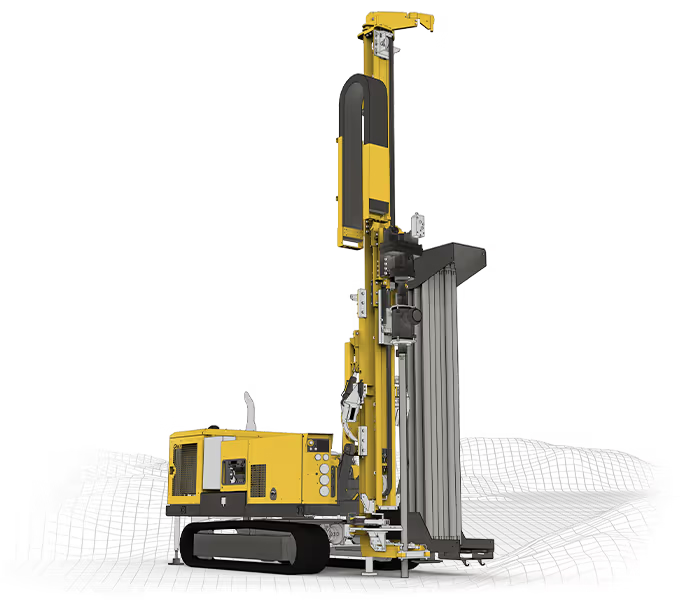
The image depicts a drilling rig designed in IRONCAD Ornunga Maskin & Teknik AB.

"You are incredibly good at providing feedback and finding accurate solutions."
Henrik Ljungbäcker, Stoeryd

"You consistently provide excellent service, truly outstanding"
Thomas Pettersson, HangOn AB

"Fantastic support. Always easy to get hold of someone. Knowledgeable people."
Robert Åberg, Quiptec AB
"IRONCAD meets our diverse design needs better than any other 3D system."
Urban Olars, NEFAB Packaging

"Quick and thoughtful responses from Solidmakarnas support"
Annika Lindholm, Aratron
"We have seen significant benefits from using IRONCAD."
Åke Lindholm, Husqvarna

"Solidmakarnas has outstanding support!"
Lennart Freidlitz, Innopend Teknikpartner AB
"It is impossible to create better training material than this. The learning process is truly effective."
Johan Hertz, Ankarsrum Electric Motors AB

"Everyone at Mixon is extremely satisfied with both IRONCAD and the support."
Birger Johansson, Mixon AB

"The best educational material I have seen across all categories."
Christer Lilja, Nominit

"Profits clearly increased after switching to IRONCAD."
Daniel Erlandsson, Lerocon
"You are incredibly good at providing feedback and finding accurate solutions."
Henrik Ljungbäcker, Stoeryd
"You consistently provide excellent service, truly outstanding"
Thomas Pettersson, HangOn AB
"Fantastic support. Always easy to get hold of someone. Knowledgeable people."
Robert Åberg, Quiptec AB
"IRONCAD meets our diverse design needs better than any other 3D system."
Urban Olars, NEFAB Packaging
"Quick and thoughtful responses from Solidmakarnas support"
Annika Lindholm, Aratron
"We have seen significant benefits from using IRONCAD."
Åke Lindholm, Husqvarna
"Solidmakarnas has outstanding support!"
Lennart Freidlitz, Innopend Teknikpartner AB
"It is impossible to create better training material than this. The learning process is truly effective."
Johan Hertz, Ankarsrum Electric Motors AB
"Everyone at Mixon is extremely satisfied with both IRONCAD and the support."
Birger Johansson, Mixon AB
"The best educational material I have seen across all categories."
Christer Lilja, Nominit
"Profits clearly increased after switching to IRONCAD."
Daniel Erlandsson, Lerocon
"You are incredibly good at providing feedback and finding accurate solutions."
Henrik Ljungbäcker, Stoeryd
"You consistently provide excellent service, truly outstanding"
Thomas Pettersson, HangOn AB
"Fantastic support. Always easy to get hold of someone. Knowledgeable people."
Robert Åberg, Quiptec AB
"IRONCAD meets our diverse design needs better than any other 3D system."
Urban Olars, NEFAB Packaging
"Quick and thoughtful responses from Solidmakarnas support"
Annika Lindholm, Aratron
"We have seen significant benefits from using IRONCAD."
Åke Lindholm, Husqvarna
"Solidmakarnas has outstanding support!"
Lennart Freidlitz, Innopend Teknikpartner AB
"It is impossible to create better training material than this. The learning process is truly effective."
Johan Hertz, Ankarsrum Electric Motors AB
"Everyone at Mixon is extremely satisfied with both IRONCAD and the support."
Birger Johansson, Mixon AB
"The best educational material I have seen across all categories."
Christer Lilja, Nominit
"Profits clearly increased after switching to IRONCAD."
Daniel Erlandsson, Lerocon
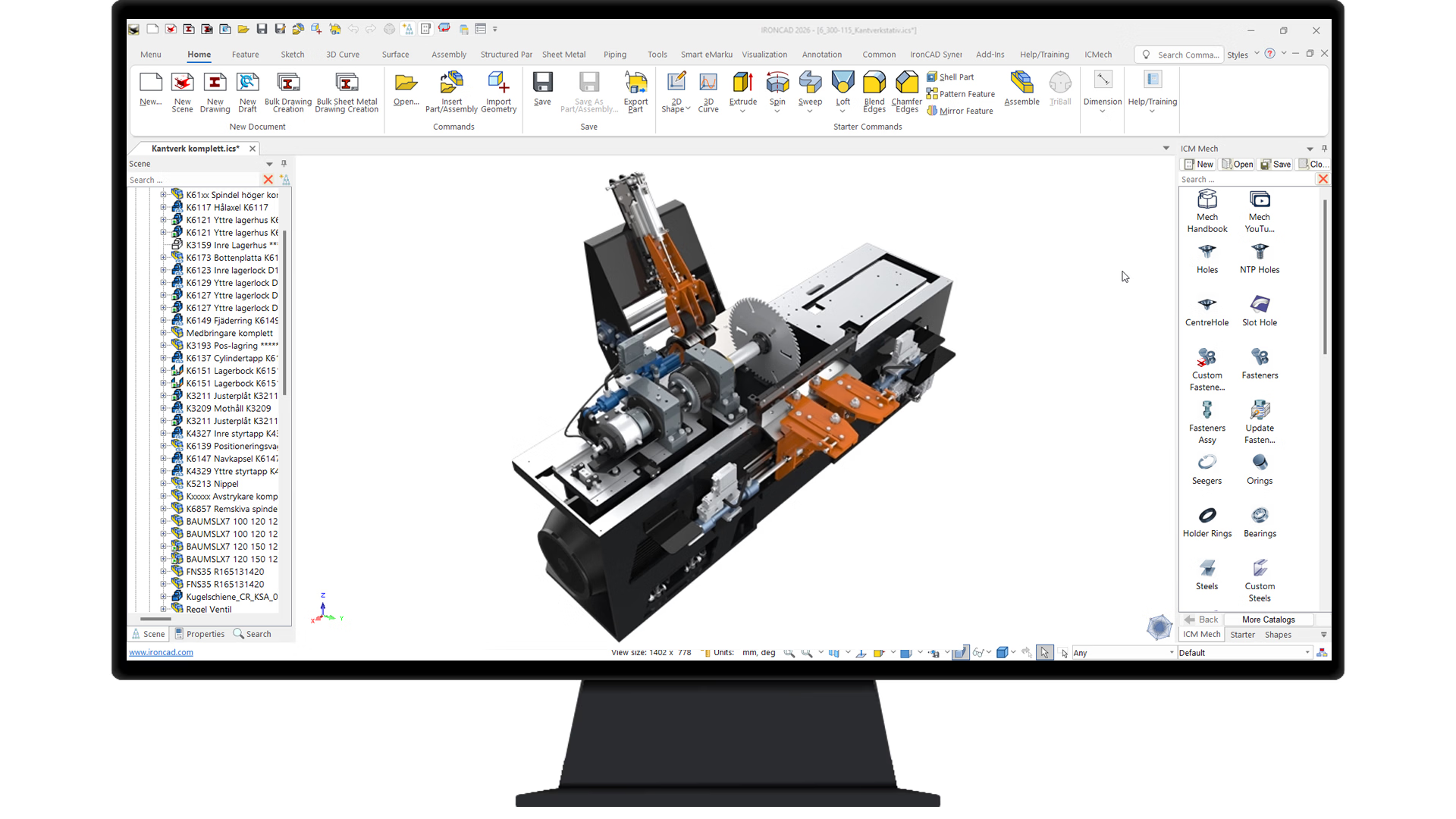
Sawmill machine designed in IRONCAD by Höga Kusten Teknikresurs AB
IRONCAD an intuitive and flexible 3D CAD program (with support for 2D drawings) that lets you design mechanical products in a natural and fast way—using drag-and-drop, push/pull tools, and TriBall instead of complicated constraints.
It’s one of the easiest CAD programs to get started with—you’ll learn quickly and can focus on design instead of complicated tools.
A CAD drawing is a digital representation of a product, building, or structure, created using computer-aided design. Instead of drawing by hand, designers create technical documentation, 2D drawings, and 3D models with high precision.
In an associative drafting program, the drawing is linked to the model. If you move a hole in the 3D model, it moves simultaneously in the plan view, section view, and detail view, and the dimensions update accordingly. In pure 2D programs, the same change must be made manually in each view. That’s where errors occur.

Solidmakarna helps companies in the manufacturing industry, the construction sector, and many other industries create precise CAD drawings in a more flexible and intuitive way, using market-leading software such as IRONCAD and Rhinoceros.
With market-leading tools such as IRONCAD (direct modeling and assemblies) and Rhinoceros (NURBS-based surface modeling), you can visualize, simulate, and create production-ready drawings without unnecessary back-and-forth between steps.
Would you like to learn more about the different methods of 3D modeling and how to choose the right CAD software?
Read our overview of CAD software for design and product development.
We are authorized resellers of IRONCAD, DDM Rhinoceros. We offer comprehensive solutions for design and product development. In addition to software, we also provide training, support close collaboration with the developers.

Design Data Manager (DDM) is a scalable PLM solution that provides full control over design data, revisions, and collaboration. Integrate seamlessly with IRONCAD comprehensive and efficient product development throughout the entire supply chain.
Most Popular

IRONCAD the most flexible 3D software on the market. By combining flexible, parametric, and direct modeling with smart drag-and-drop functionality, it enables faster design for engineers who require high performance in their daily work.

Rhino is the industry standard for free-form design and NURBS modeling. It is the ultimate tool for industrial designers and architects who create complex surfaces, organic forms, and advanced curves with absolute geometric precision.

Our expertise ranges from mechanical design and product development to training and system integration. By working closely with software vendors, we ensure that our customers have access to the latest features and licensing models.
All of our trainers and technical advisors have a solid background in CAD and practical experience with industrial applications. We use the same drafting software in our own daily operations, which allows us to provide concrete guidance based on real-world projects and industry standards.
Contact us for adviceTo help you get the most out of your drafting software, we offer customized training courses.
Learn the basics of modeling, drafting, and documentation.
Learn more about our introductory courses
Please contact us for customized corporate training.
Learn more about our continuing education programs
Free options to get started at your own pace.
Learn more about our self-study courses and webinars
Contact us for a personalized demo and see how IRONCAD, Rhinoceros DDM
can streamline your design and product development processes.
Want to book a demo, get in touch with a salesperson or have a question? Fill in the form below and we will get back to you.
Contact us by email or phone