

Looks like you don't have ESC button on your device
Choose one of the following options
trial versionHas a license

Looks like you don't have ESC button on your device
Choose one of the following options
trial versionHas a licensefixtures for manufacturing and measurement
Design custom fixtures in 3D with drag-and-drop precision, simulate assembly, and generate drawings. IRONCAD is typically IRONCAD times faster than other 3D CAD solutions!
Download trial version of IRONCADBook a demoOver 1000+ satisfied customers

.png)

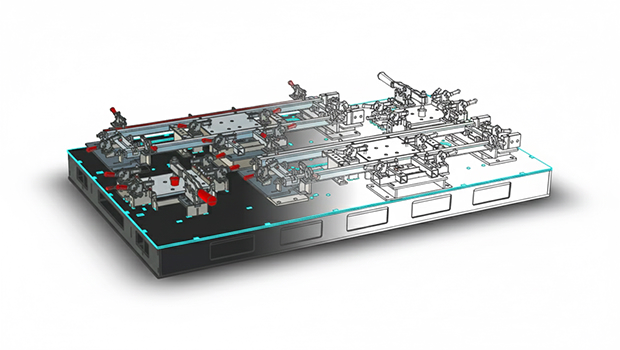
Fixture designed in IRONCAD Mercado Produktion AB
Fixtures in no time
The entire solution in 1 file
Reuse components with Drag and Drop
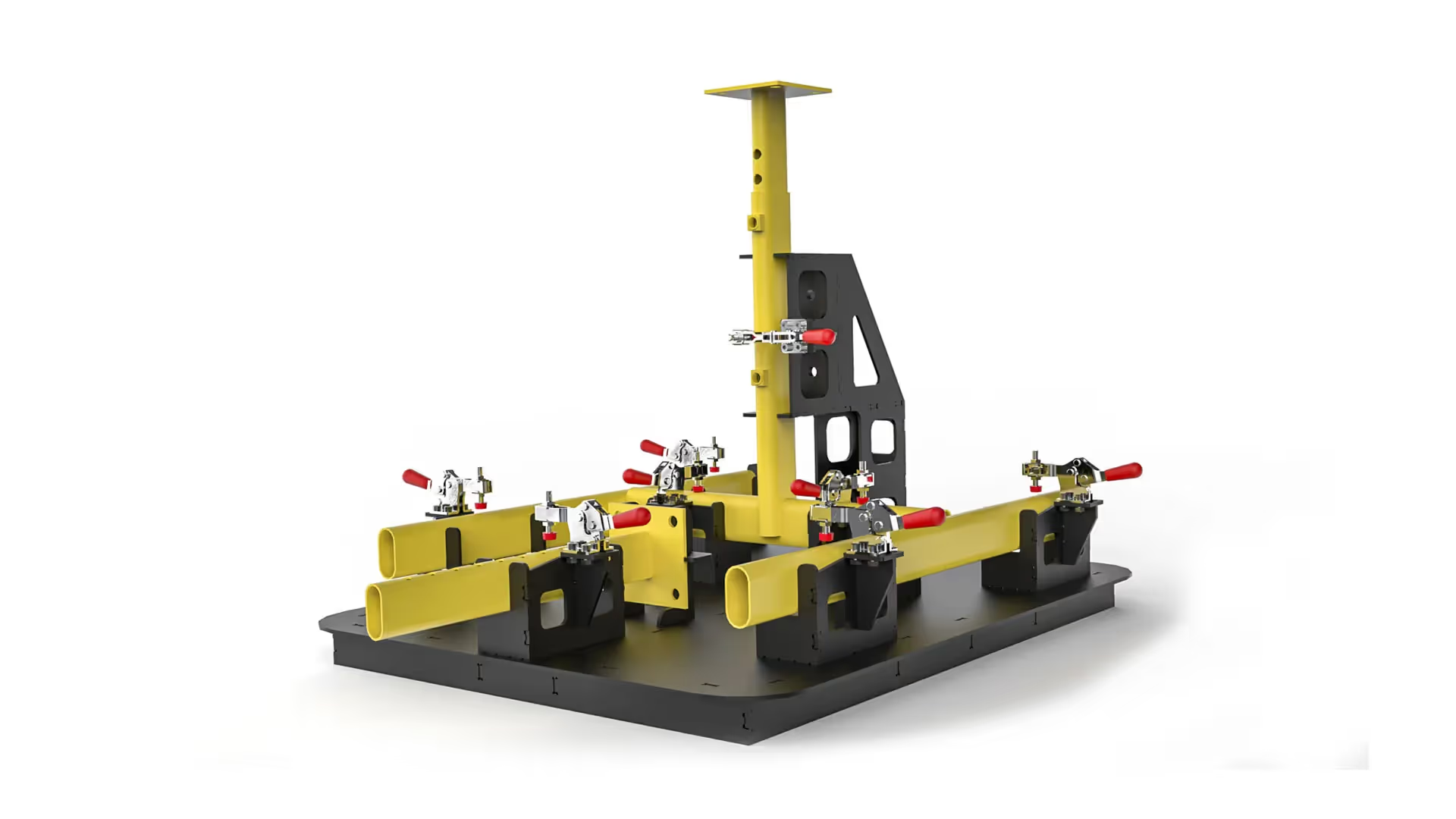
Mercado Produktion AB manufactures advanced welding and assembly fixtures for the automotive industry and uses IRONCAD significantly reduce lead times. "With drag-and-drop and TriBall, we build fixtures in days instead of weeks and design three times faster," says Peter at Mercado. Read more about how Mercado Produktion uses IRONCAD
Uses IRONCAD to design and model its advanced hydraulic fixtures in 3D, IRONCAD other things. The fixtures can consist of different metal plates with milled channels for hydraulic oil. The different plates are placed on top of each other to create a channel system. This technology provides a more optimized design. Tooli supplies a variety of fixture solutions to Husqvarna, among others. IRONCAD tools for flexible 3D modeling and quick changes allow Tooli to create detailed and precise 3D models in significantly less time. Read more about Tooli here
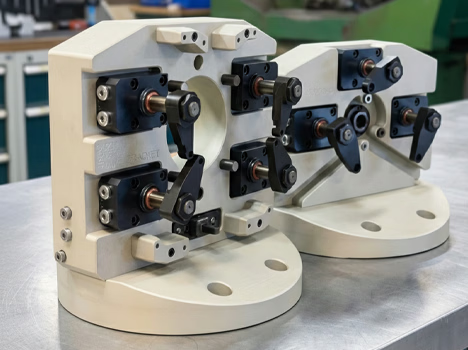

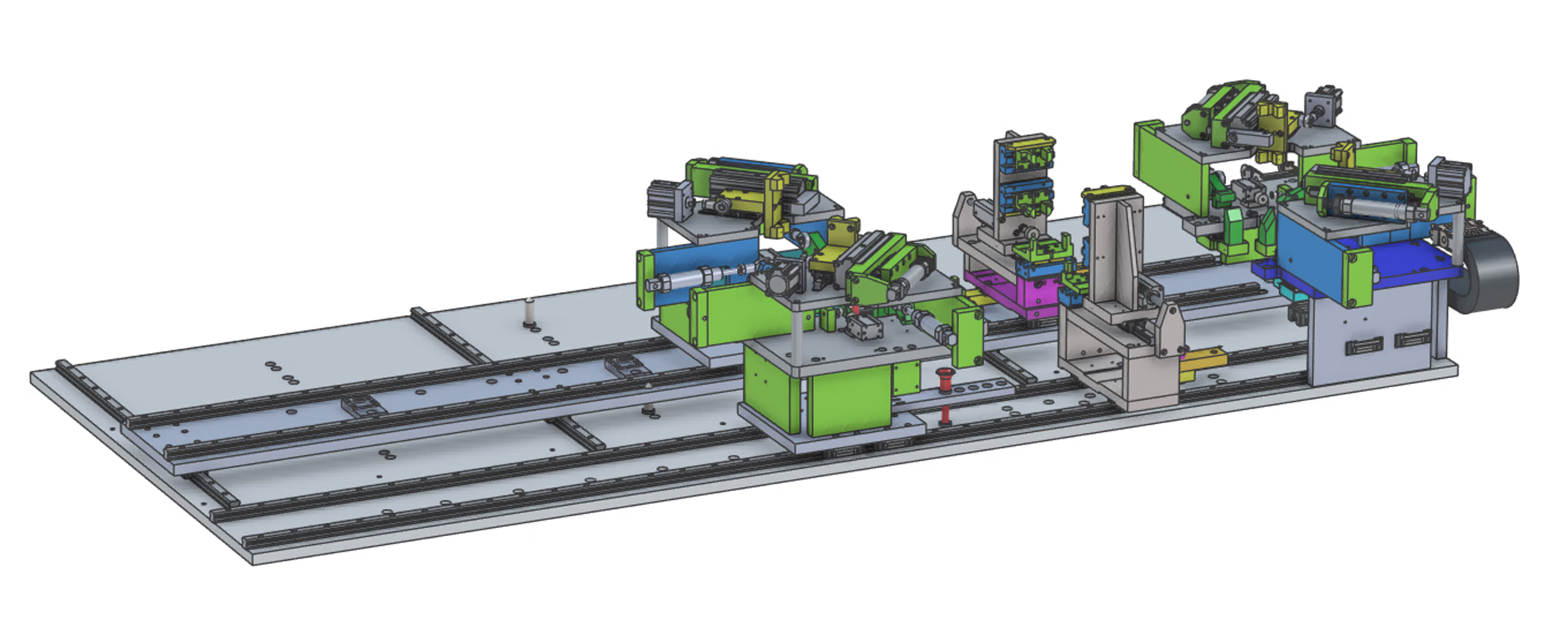
Uses IRONCAD quickly and efficiently develop fixture solutions. "With the program's convenient drag-and-drop features, we can easily create, modify, and reuse components, often in direct dialogue with the customer during Teams meetings, for example. IRONCAD the design work flexible and easy to understand, which is appreciated by both us and our customers."
Says Fredrik Lövstål at Lövstål Verktyg AB.
Read more about Lövstål Tools here
Using pins and holes makes it easy to place different parts in the right place before welding, for example. It is used for fixtures, among other things, but also for general machine construction. Parts designed in IRONCAD often IRONCAD via DXF to a laser cutting machine that creates parts with exact dimensions.
This feature is included in IC Mechanical —a powerful add-on to IRONCAD makes it quick and easy to create mechanical details. The tool works equally well on both Innovative Parts and Sheet Metal Parts.
Learn more about how to create pins and holes in IRONCAD
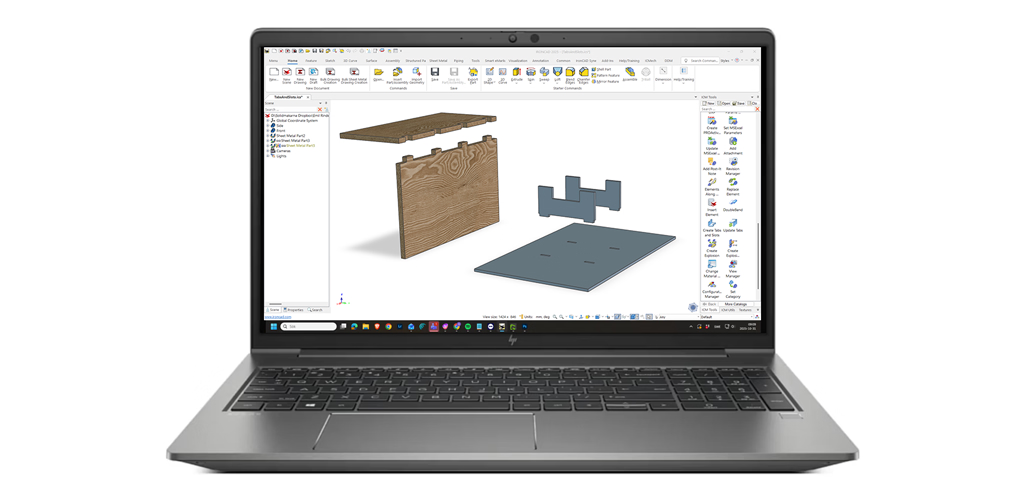
IRONCAD import a wide range of file formats such as STEP and others. These can be modified directly in IRONCAD production adjustments are needed—with or without features in the history tree. Use imported part cut the correct dimensions in the fixture's components. Reuse clamping tools with Drag and Drop in 3D in seconds from catalogs. Everything is saved in a single file for easy management of the entire fixture. Create 2D drawings with automatic parts lists. Design 3 times faster - what is that worth to you?
Create bent sheet metal parts with the Sheet Metal tools: either based on bend lines on flat sheet metal or by dragging and dropping directly in 3D. Export flattened DXF files for laser cutting or press braking. Adjust angles and radii with handles in 3D. Complete with pins and holes. Build like with Lego.
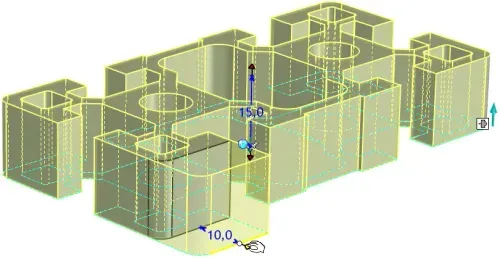
Start with 2D sketches without mandatory constraints and build on to 3D with extrusion, loft, or sweep. Add parameters/constraints only if and when you need them. The flexibility of IRONCAD perfect in the concept phase of fixtures and also for reuse in the next project, regardless of how they will be changed!
Drag and drop standard components from catalogs, edit imported customer geometry directly without history issues, and create complete 2D drawings with parts lists in minutes. Let us show you how IRONCAD shortens lead times, reduces errors, and gives you full control over fixture projects. These features are included in IRONCAD no add-on module is needed for basic fixture design. The trial version includes the same functionality as a "live" version. Free support during the trial period. Completely free for 30 days.

IRONCAD is built for design-intensive industries where you often work with large assemblies, sheet metal, hydraulics, layouts or special machines. You can drag and drop finished components from catalogs, change entire machines in seconds, and switch freely between 2D and 3D environments - perfect for automation, sheet metal bending, construction machinery, hydraulic systems, layout planning, construction forging, and packaging design.
Our basic training is 2 + 2 days (4 days in total). Already after the first two days, most designers are fully productive on basic 3D modeling and assembly. The final two days focus on advanced features, catalog management and your own projects.
Yes - we supply ready-made basic templates and catalogue structures that you can easily customize yourself with your own standard components, beam profiles, hydraulic hoses, sheet metal parts or packaging standards. It only takes a few minutes to fill up with your items and you save a lot of time in the future.
Absolutely. With our Translator, you can open, edit and save files from other CAD systems without losing geometry.
Extremely powerful. You can manage tens of thousands of parts in the same file, move entire machines or factory layouts with a single click and see everything in real time - perfect for layout, construction machinery and automation projects.
Sheet metal bending and layout is included in the basic version of IRONCAD - you get sheet metal layout, bending lines and accurate fabrication data instantly. For construction forging, powerful beam and profile tools and hole tables are included in IC Mechanical.
Yes - all our support and training is in Swedish and we have extensive experience in automation, sheet metal bending, hydraulics, construction and packaging. You get answers quickly.
Of course we do. We always provide a free trial license (30-60 days) with your own drawings and layouts so you can see exactly how much time you save before you decide.
Download a free trial or are you ready for a demo of IRONCAD?
