Looks like you don't have ESC button on your device
Choose one of the following options
trial versionHas a license

Looks like you don't have ESC button on your device
Choose one of the following options
trial versionHas a licenseIRONCAD is a comprehensive 3D CAD program. In the packaging industry, it is used to select a box from the catalog, customize it to fit the customer’s product, flatten it into a flat pattern with fold and cut lines, and send the DXF file to the die-cutter.
Over 1000+ satisfied customers



Standard boxes in the catalog
Built around the customer's product file
Coverage and DXF with a single click
IRONCAD IRONCAD is a 3D CAD program for industrial design, ranging from machinery and sheet metal to layouts and fixtures. What sets apart from traditional CAD systems is the freedom of choice: you decide for yourself how to model. Design freely using drag-and-drop and TriBall, add constraints and parametric dimensions only where they’re needed, and modify imported geometry directly without a history tree. These methods can be combined within the same , and the entire assembly is contained in a single file. This page shows how packaging manufacturers use it. part
This video is Nycopac’s own presentation of the Nyco Sleeve, a returnable packaging solution that folds flat between shipments. Nycopac develops packaging solutions in close collaboration with customers, focusing on service life, packing optimization, and environmental impact, and keeps designs, drawings, and documents organized using Design Data Manager from Solidmakarna. Would you like to see what your next packaging solution might look like in IRONCAD?
Book a demo and we’ll show you!
You select the method for each part, not for each program.
All three work in the same file, and they can be mixed within a single 3D file.
For pallets, frames, and wooden crates that are managed by variant. Lock the length, width, and height using constraints, and the entire assembly will update to the next set of dimensions when you drag a handle.
MOST POPULAR

The standard method for drawers and interior fittings. Drag the drawer from the catalog, adjust the handles until the product fits, and snap the supports into place on the customer’s model. No mandatory constraints.
For the customer's product files in STEP or SolidWorks. Simplify the model, remove anything that does not affect the packaging, and add a reference surface for snapping. No history is required.
Box types according to FEFCO and our own custom designs are listed in the catalog next to the screen. Drag the sliders, select the corrugated cardboard grade and thickness from the table, and drag the handles to set the length, width, and height.
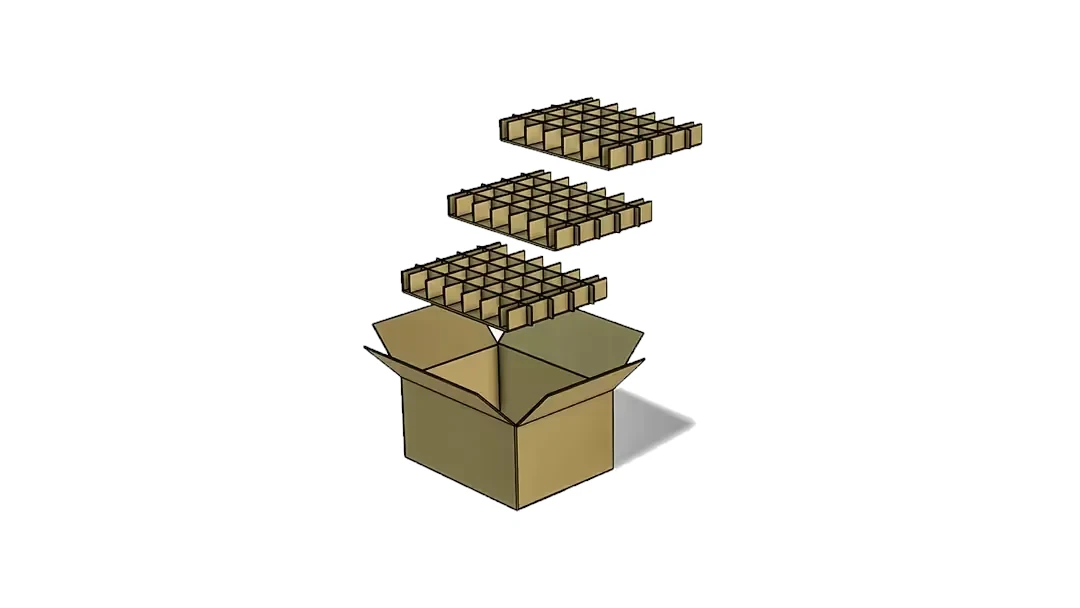
Compartment liners, impact protection, and dividers are installed in the same way and adapt to the box. NEFAB describes it as building with Legos.
Import the product as a STEP file, or via Translator from SolidWorks and Inventor, place the desired quantity in the box, and build the interior directly against the geometry. Snap the supports to the customer’s model so that the internal dimensions are correct from the start.
You work in 3D all the time, exactly as reality looks, without trial and error.
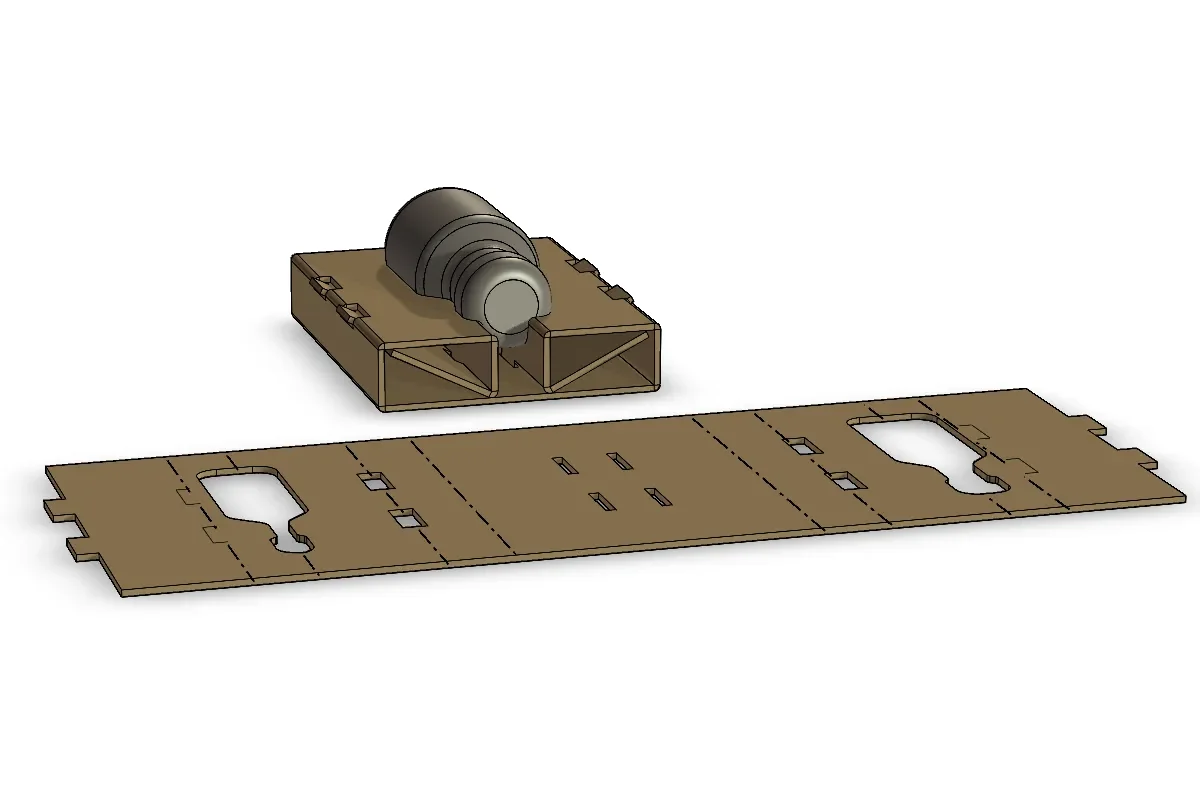
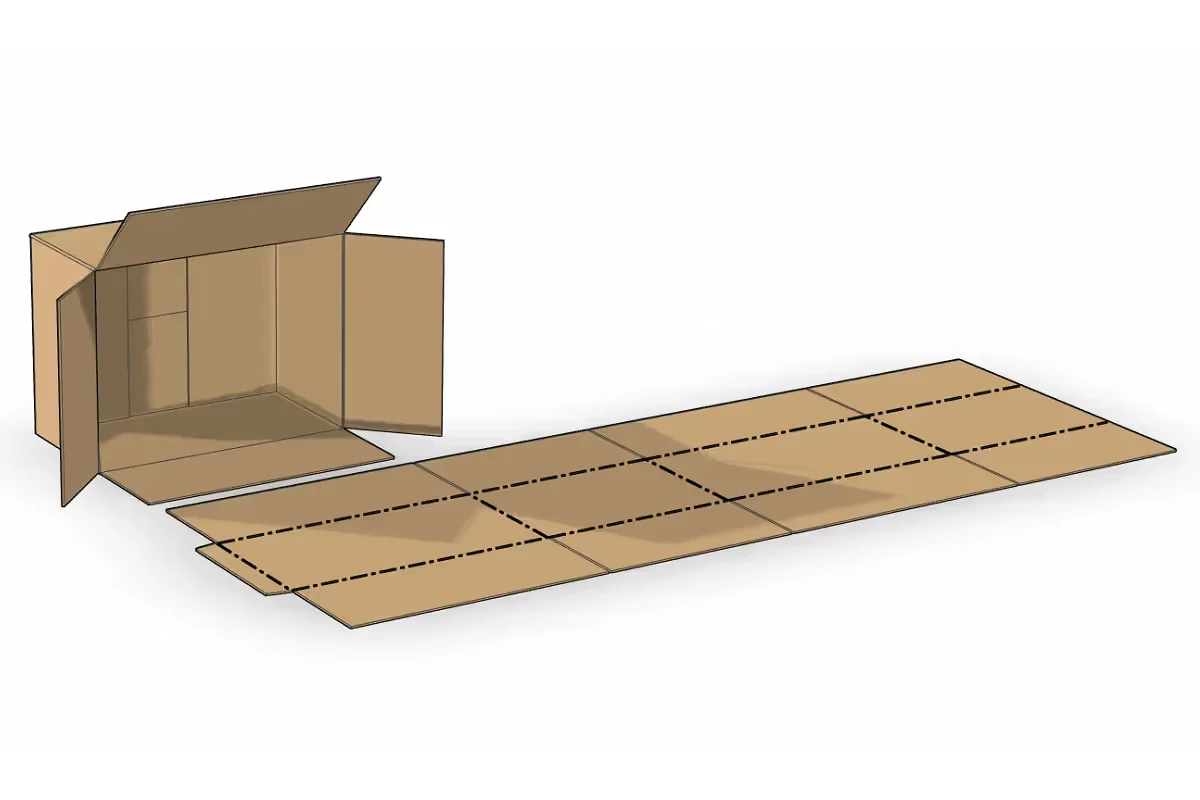
The folded model unfolds with a single click. Rules for calculating dimensions during creasing, cutting, and folding are included for each material, and different line types indicate where the corrugated cardboard should be cut and creased.
The layout is a direct result of the finished 3D model, not the other way around. Export DXF or DWG files to a die-cutting tool or plotter.
Stool with a frame, wooden box with hardware, or plywood box: here, it’s the dimensions that vary, not the design. The assembly is configured once, and you can get the next size by simply pulling a handle.
Fittings, screw connections, and profiles are retrieved from IC Mechanical and added to the bill of materials.
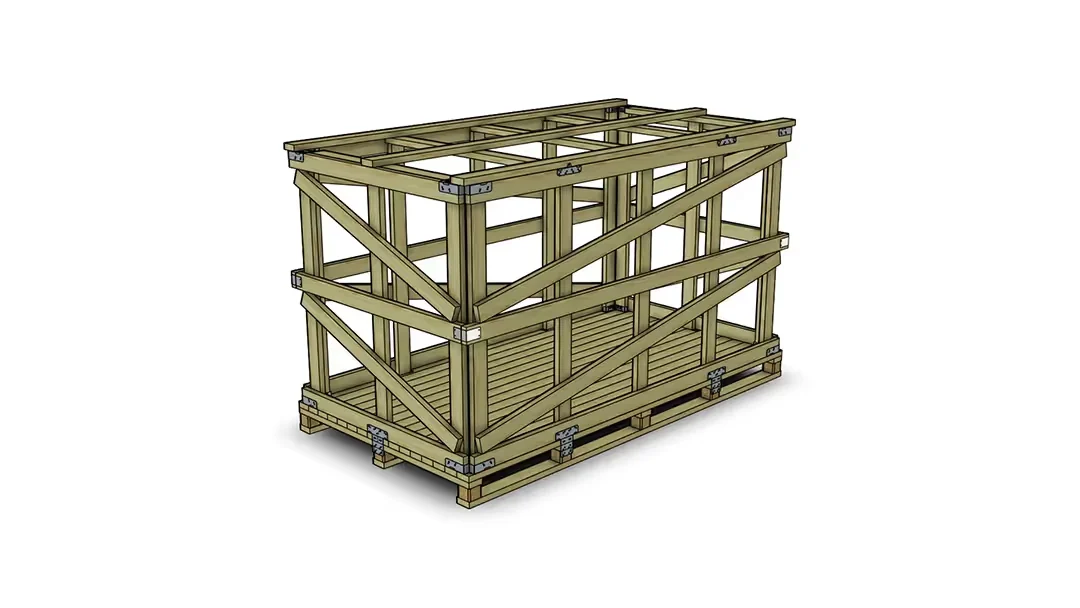
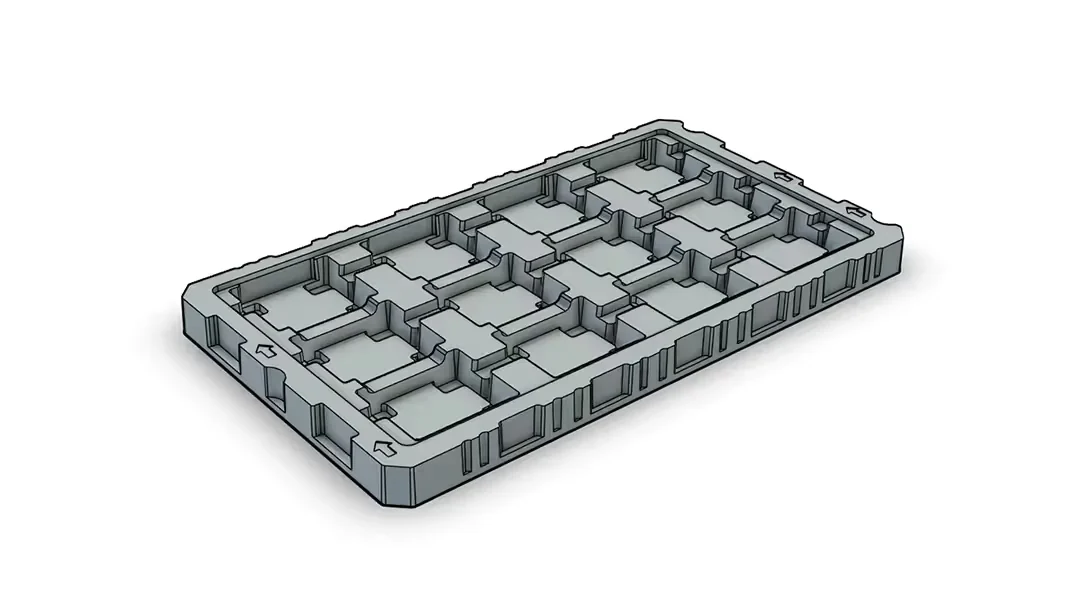
Plastic trays with recesses and radii are designed parametrically; foam liners and corrugated fiberboard are designed flexibly; and steel return racks are designed using profiles from the catalog. All within the same program and the same file.
NEFAB designs all of its packaging types in this way, with over 300 IRONCAD users in some 40 countries.
ICD creates the drawings for the box and its interior, including views, dimensions, and a parts list, directly from the model. DRAFT features a traditional 2D interface similar to AutoCAD and exports the layout as a DWG or DXF file for die-cutting.
Both follow the model when the box is modified. Choose the one that fits the drawing, or use both.
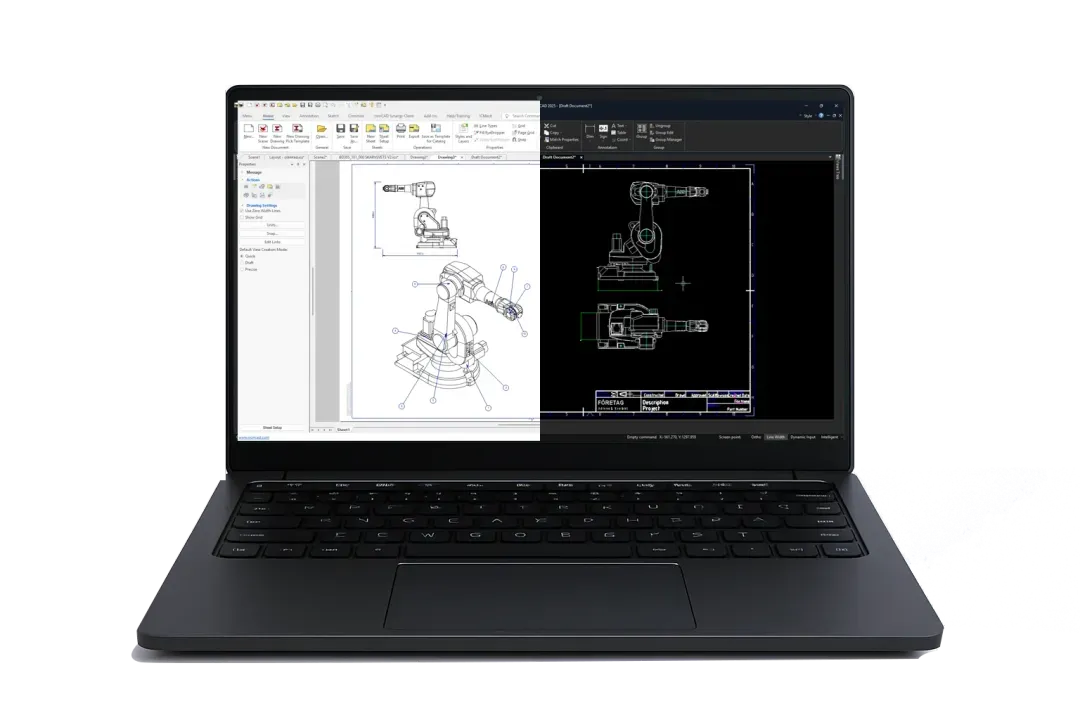
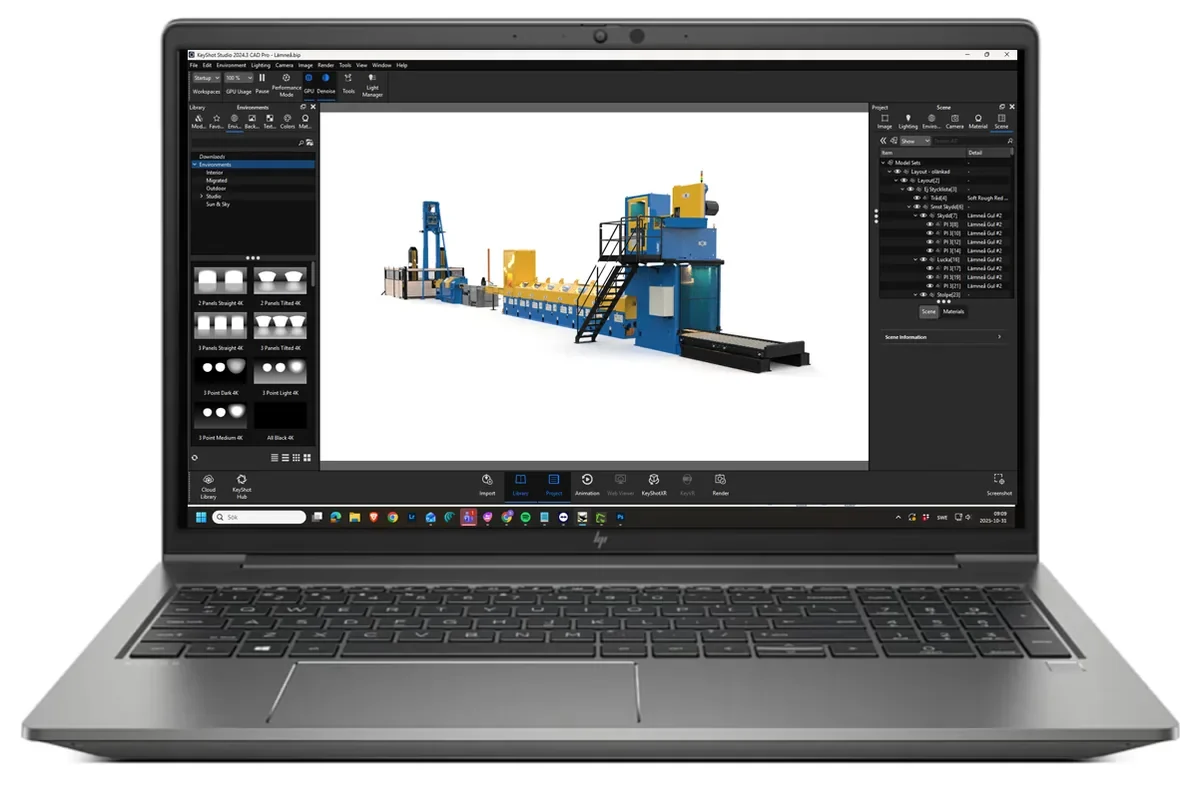
Render the box containing the product in KeyShot for the quote, directly from the model. The customer opens the 3D model in the free viewer at COMPOSE and can see how it fits for themselves.
The customer's product files from all CAD systems are opened as reference material.

Custom interiors can be sketched freely in 2D or directly in 3D. Use parameters whenever you want—they’re not mandatory.

FEFCO boxes, interior fittings, and custom standard solutions with drag-and-drop functionality.

Place the product in the box and arrange the interior exactly as you like, without any constraints.

Marking with scribing and cutting lines, using the same technique as for sheet metal.


A global packaging company operating in some 40 countries, with over 5,000 employees and more than 300 IRONCAD users. Corrugated cardboard, wood, plywood, foam, thermoformed trays, and steel racks are designed at IRONCAD, using catalogs tailored to each type of packaging.
“Working directly in 3D is a significantly simpler and faster way to work—you see the results in real time. We can flatten cardboard boxes and interior fittings into 2D and send them directly to production. The way IRONCAD handles cardboard and corrugated cardboard is unbeatable.”
Urban Olars, NEFAB
Custom-designed returnable and single-use packaging with a focus on life-cycle economics and the environment. Designs, drawings, and documents are organized in Design Data Manager, which the entire organization was able to use productively within six weeks.

“We are very satisfied with DDM. The system has simplified our work, made project management more efficient, and ensured that all designs and documents are handled correctly.”
Jennie Wallström, Design Engineer, Nycopac AB

Yes. The standard box types are listed in a catalog and can be dragged into the 3D environment. Select the type based on the customer’s preferences, choose the corrugated cardboard quality and thickness from the table, and adjust the dimensions by dragging the handles on the model.
With a single click. Predefined rules for calculating dimensions during creasing, cutting, and folding are included, and different line types indicate where the corrugated cardboard should be cut or creased. The expanded version is exported as a DXF or DWG file.
Yes. Import the product as a STEP, IGES, or via Translator from SolidWorks and Inventor, place it in the scene, and build the box and its interior directly around it so that the internal dimensions are correct.
Yes. Custom designs, impact protection, and corrugated cardboard inserts are freely designed in 3D and scaled according to the same rules as standard boxes. NEFAB designs custom packaging at IRONCAD in approximately 40 countries.
With Design Data Manager, each design is assigned a part number, revision, and searchable properties, so that sales representatives and designers can find the right documentation. Nycopac uses DDM for its packaging solutions.
Yes. Render the box containing the product in KeyShot for the quote, or send the 3D model so the customer can open it in the free viewer at COMPOSE and see how it fits for themselves. Any changes made to the model are automatically reflected in the layout.
Full version for 30 days, free of charge. Swedish support and training from Solidmakarna.

30-day full version of IRONCAD . No credit card information required, no obligation to purchase.

Install the software, open your own files, and follow the setup wizard in the IronCAD Academy.

We'll show you how IRONCAD fits your specific production needs—in just half an hour.

A 2 + 2-day instructor-led introductory course, or self-paced study. Course instructors who design their own projects in IRONCAD.