Looks like you don't have ESC button on your device
Choose one of the following options
trial versionHas a license

Looks like you don't have ESC button on your device
Choose one of the following options
trial versionHas a licenseIRONCAD Rhinoceros Design Data Manager
A CAD program is a designer’s most important tool, and the choice affects everything from design time to how easy it is to modify a finished model. Solidmakarna has been providing CAD solutions to Nordic industry since 1988. Here, we’ll go over what sets the programs apart, what modeling methods are available, and how to choose the right one.
Book a personalized demoOver 1000+ satisfied customers



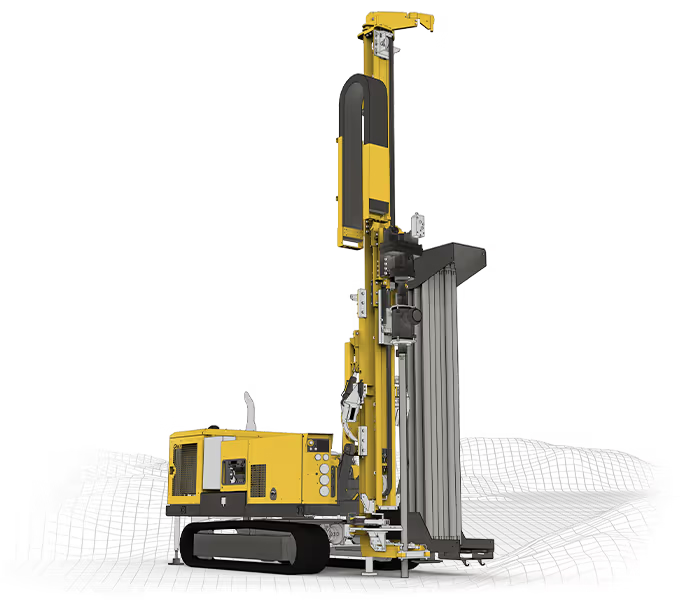
The image depicts a drilling rig designed in IRONCAD Ornunga Maskin & Teknik AB.

"You are incredibly good at providing feedback and finding accurate solutions."
Henrik Ljungbäcker, Stoeryd

"You consistently provide excellent service, truly outstanding"
Thomas Pettersson, HangOn AB

"Fantastic support. Always easy to get hold of someone. Knowledgeable people."
Robert Åberg, Quiptec AB
"IRONCAD meets our diverse design needs better than any other 3D system."
Urban Olars, NEFAB Packaging

"Quick and thoughtful responses from Solidmakarnas support"
Annika Lindholm, Aratron
"We have seen significant benefits from using IRONCAD."
Åke Lindholm, Husqvarna

"Solidmakarnas has outstanding support!"
Lennart Freidlitz, Innopend Teknikpartner AB
"It is impossible to create better training material than this. The learning process is truly effective."
Johan Hertz, Ankarsrum Electric Motors AB

"Everyone at Mixon is extremely satisfied with both IRONCAD and the support."
Birger Johansson, Mixon AB

"The best educational material I have seen across all categories."
Christer Lilja, Nominit

"Profits clearly increased after switching to IRONCAD."
Daniel Erlandsson, Lerocon
"You are incredibly good at providing feedback and finding accurate solutions."
Henrik Ljungbäcker, Stoeryd
"You consistently provide excellent service, truly outstanding"
Thomas Pettersson, HangOn AB
"Fantastic support. Always easy to get hold of someone. Knowledgeable people."
Robert Åberg, Quiptec AB
"IRONCAD meets our diverse design needs better than any other 3D system."
Urban Olars, NEFAB Packaging
"Quick and thoughtful responses from Solidmakarnas support"
Annika Lindholm, Aratron
"We have seen significant benefits from using IRONCAD."
Åke Lindholm, Husqvarna
"Solidmakarnas has outstanding support!"
Lennart Freidlitz, Innopend Teknikpartner AB
"It is impossible to create better training material than this. The learning process is truly effective."
Johan Hertz, Ankarsrum Electric Motors AB
"Everyone at Mixon is extremely satisfied with both IRONCAD and the support."
Birger Johansson, Mixon AB
"The best educational material I have seen across all categories."
Christer Lilja, Nominit
"Profits clearly increased after switching to IRONCAD."
Daniel Erlandsson, Lerocon
"You are incredibly good at providing feedback and finding accurate solutions."
Henrik Ljungbäcker, Stoeryd
"You consistently provide excellent service, truly outstanding"
Thomas Pettersson, HangOn AB
"Fantastic support. Always easy to get hold of someone. Knowledgeable people."
Robert Åberg, Quiptec AB
"IRONCAD meets our diverse design needs better than any other 3D system."
Urban Olars, NEFAB Packaging
"Quick and thoughtful responses from Solidmakarnas support"
Annika Lindholm, Aratron
"We have seen significant benefits from using IRONCAD."
Åke Lindholm, Husqvarna
"Solidmakarnas has outstanding support!"
Lennart Freidlitz, Innopend Teknikpartner AB
"It is impossible to create better training material than this. The learning process is truly effective."
Johan Hertz, Ankarsrum Electric Motors AB
"Everyone at Mixon is extremely satisfied with both IRONCAD and the support."
Birger Johansson, Mixon AB
"The best educational material I have seen across all categories."
Christer Lilja, Nominit
"Profits clearly increased after switching to IRONCAD."
Daniel Erlandsson, Lerocon
We’re not just resellers. We’ve designed machines ourselves as consultants for companies such as DeLaval and Atlas Copco, and we know the issues that arise when a CAD system is introduced into a real engineering department.
All our trainers and technical advisors have a solid background in CAD and many years of experience in practical design work. We work daily in CAD programs used in industry and can therefore provide advice based on real projects, established methods and current standards.
Contact us for adviceIRONCAD, Rhinoceros Design Data Manager provide you with all the tools you need—from concept sketch to finished product.
MOST POPULAR
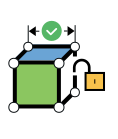
The method in IRONCAD is the fastest and most productive for most needs. It handles design concepts and unexpected changes well.
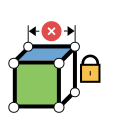
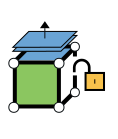
This method in IRONCAD best IRONCAD for creating models that are to be dimensionally variant-managed in a predetermined manner.
The method in IRONCAD to modify imported geometry. Select a surface and drag, rotate, or move it—regardless of the history.

With Rhinoceros , you Rhinoceros complex organic shapes and surfaces with NURBS precision. The industry standard in industrial design.
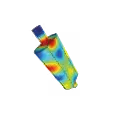
Test strength, flow, and mechanical performance digitally in IRONCAD building the prototype. Save time and money.

Design Data Manager provides full control over revisions, workflows, and collaboration. Seamless integration with IRONCAD.
Computer-Aided Design ( CAD ) software is a tool used to create and modify two-dimensional (2D) engineering drawings , as well as to create, modify, analyze, and optimize three-dimensional (3D) designs and models.
CAD is used in a wide range of industries, such as architecture, interior design, mechanical engineering, product development, production equipment for the manufacturing industry, technical sales, layout and many more. (See more in the list below.)
Talk to a CAD expert
In the 1990s, it became common to switch from manual drawing work to 2D CAD. A major advantage of 2D CAD compared to manual drawings was that it was easier to reuse existing drawings.
In the 2000s, many companies started using 3D CAD instead, which provided new opportunities to visualize and optimize products. However, many companies still have 2D files from previous projects that need to be managed in existing CAD solutions.
With 3D CAD programs, such as IRONCADa 3D model provides a more realistic and detailed view of the product.
Among other things, this makes it easier to avoid costly manufacturing errors.
Many people can also more easily understand the design through a 3D model compared to a 2D CAD drawing.


3D CAD models can be mapped onto 2D drawings, where dimensions and tolerances can be added.
All views in a 2D drawing are automatically updated if the 3D model changes, saving a lot of time compared to 2D CAD where changes have to be made manually in all views.
3D CAD models can also be used for different types of analysis, such as strength analysis. These analyses can be used to calculate the stress and strain in the material at a given load.
This makes it possible for a CAD designer to dimension the structure so that it can withstand the loads that the product is expected to be exposed to.


Despite all the benefits of 3D CAD, no CAD solution can replace experience and knowledge of how to design, which is often industry-specific.

A history tree where the different elements of the model (called features) are presented in the order they were created. For example, radii and holes. These are created and modified quickly without locks(parameters and constraints)

Frequently modify imported geometry without features. This method is also flexible, but with less intelligent models.

A history tree here too, where the different elements(features) of the model are presented in the order they were created. These are created and can be modified in certain ways with locks(parameters and constraints)

Consists of simpler form of 3D model with fewer features.

It creates models with surfaces, often carefully defined and controlled using 3D curves. It is used, for example, in the design of cars or consumer products where precise shaping is important.
A common program that focuses specifically on surfaces is Rhinoceros (Rhino) which is known for its advanced NURBS modeling tools, making it ideal for the creation of complex shapes and organic surfaces. Rhino is widely used in industrial design, architecture and art.

All the methods described above are included in IRONCAD and can be mixed in the same file. It is unique and you can solve different needs with one and the same program.
In order to choose a suitable 3D CAD program, it is important to identify what your company will use the software for and what your specific needs are. Your needs may differ from what certain systems are designed for, and you may also have several needs that can be met with the same program. Below are some examples of areas of use where different technologies are used and the associated requirements for the CAD program:
Send us your specifications and we will get back to you as soon as we canWe offer market-leading software for engineering, design
, and data management—tailored to the needs of Swedish companies.
Design Data Manager (DDM) is a scalable PLM solution that provides full control over design data, revisions, and collaboration. Integrate seamlessly with IRONCAD for comprehensive and efficient product development throughout the entire supply chain.
Most Popular

IRONCAD is the most flexible 3D software on the market. By combining flexible, parametric, and direct modeling with smart drag-and-drop functionality, it enables faster design for engineers who require high performance in their daily work.
Rhino is the industry standard for free-form design and NURBS modeling. It is the ultimate tool for industrial designers and architects who create complex surfaces, organic forms, and advanced curves with absolute geometric precision.
This includes specialized machinery, fixtures, production equipment, industrial maintenance and automation solutions, often consisting of short runs or single solutions. Flexibility and speed are required here, as there is no time to deal with unnecessary steps such as parameters or lockouts.
Do you have similar needs? Write to us

When customizing machines and equipment for specific customer needs, flexibility is crucial, as you cannot predict what the next customer will want or what the market will demand tomorrow. IRONCAD hybrid modeling with optional constraints and parameters. Unlike SolidWorks, which is based on strict parametric modeling, and Fusion 360, which primarily uses parametric modeling, we help you leverage IRONCAD's unique flexibility for faster results.
Standard productswith variations - for example, products that vary in dimensions and have to follow specific rules (such as balcony railings). This is where investing time in creating parametric models is appropriate.
Assemblieswith different versions and designs - flexibility is needed here, as the design may vary between customers.
When working with models from other 3D systems, it is a great advantage if the CAD program can handle and modify imported designs without requiring history. With modern CAD technology, you can edit and customize models directly, even when history and parameters are not carried over from the original program. This saves time, reduces complications, and makes working with external models more efficient and flexible.
When creating curved sheets, it is important to be able to unfold them into a flat version, where the outline of the flat version is used in DXF 2D format for laser cutting.
Do you have similar needs? Write to us
Layout involves planning the contents of premises and workshops to create detailed and optimized spaces using computer-aided design. Flexibility without restrictions and parameters is important here, especially when it comes to managing a large number of parts and machines. Too many conditions and restrictions can make planning unclear.

In carpentry, predictable dimensional changes and variations are common. Here, a parametric model can be useful for controlling the dimensions and number of drawers in, for example, a cabinet. Using 3D models and computer-aided drafting/design (CAD), the entire design can be visualized digitally, checked, and adjusted before manufacturing. From these models (e.g., a complete kitchen), everything can be exported to a CAM program that instructs a CNC milling machine, replacing the need for traditional 2D drawings and streamlining production.

CAD programs can be used to create selling, realistic images (renderings) and explanatory language-independent animations, which facilitate the communication of the product to the customer.

Test strength, flows and mechanical function digitally in IRONCAD before the prototype is built. Save time and money. 3D models can often be analyzed to assess stress and deformation at a certain load. For this, there are specific analysis programs that use FEM (Finite Element Method). FEM divides the volume into a three-dimensional mesh and handles stresses via nodes (meeting points) during the calculation. This helps designers understand how the material will behave under different loads and optimize the design accordingly.
Ask for integration adviceIntegration with a PLM system can be beneficial for managing CAD files, documentation, and version control. One example is DDM , a PLM solution that streamlines project data management and facilitates collaboration between teams. DDM enables the structuring of project data and is an excellent tool for industries that need to manage different versions of a design, release, expired design and so on. Design Data Manager provides full control over revisions, workflows and collaboration. Seamless integration with IRONCAD .

Most 3D CAD programs today have the ability to export 3D models to CAM programs, where manufacturing programs are created for, for example, controlled milling machines. An example is WoodLAB, a CAM program that can drastically reduce the time from design to finished CNC milling program, making the production process more efficient.
Find out why hundreds of Swedish companies have chosen IRONCAD, Rhinoceros Design Data Manager for their product development.
IRONCAD's drag-and-drop design and flexible modeling reduce design time by up to 50%.
Start producing from day one. IRONCAD intuitive and requires minimal training compared to other CAD systems.
Switch freely between parametric, direct, and free-form modeling within the same model—without having to restart.
Integrate IRONCAD Design Data Manager, CAM software, and simulation tools for a complete workflow.
Rhinoceros complex surface modeling and DDM data management—the right tool for every task.
Fast and personalized technical support Swedish and English. We’re here to provide you with training and advice.
Flexible, parametric or direct editing

For most design needs, flexible modeling with intelligent features is the most efficient and profitable choice. This provides support to manage concept development, unforeseen late changes and allows greater freedom to test different design options.

Thanks to the intelligent structure of IRONCAD models, there is also the possibility to use parametric techniques when appropriate. This makes it possible to work with fixed dimensions and constraints where precision and control are particularly important.

IRONCAD also offers direct editing, which means that imported 3D files can be modified without the need for a history. This is particularly useful when working with files from other systems and need to make quick adjustments.
Med IRONCAD all these modeling methods - flexible modeling, parametric techniques and direct editing - can be combined in a single file. This makes IRONCAD a reliable choice for those looking for a competent system for fast and efficient product development.

With CAD software, you can create 2D drawings and 3D models that are used in engineering, design, product development, and manufacturing. This makes it possible to test, analyze, and visualize a product before it is manufactured.
There are simpler free alternatives for hobby use, but professional CAD programs offer more features, better stability, and higher accuracy.
CAD can seem overwhelming at first, but with the right course materials and practice, you can get started relatively quickly.
Yes, many people learn CAD through online guides and instructional videos. However, structured training provides a faster and clearer path to mastering the tool.
CAD courses are available at various levels of difficulty, from beginner to advanced specialized courses. You can choose the level depending on your experience and goals.
The price varies depending on the license model and features. For accurate pricing information, it is recommended to contact the supplier directly.
Most professional CAD programs are developed for Windows. Check the system requirements for the specific program to ensure compatibility.
A simpler computer is sufficient for basic tasks. However, larger and more complex models require better graphics performance and a faster processor.
Yes, CAD models can be exported in formats such as STL and used directly for 3D printing.
2D CAD is used for flat drawings, while 3D CAD enables three-dimensional models that can be analyzed and automatically rendered in drawings.
Yes, many training centers and software vendors offer certification courses.
Yes, several CAD systems can be customized with modules, scripts, integrations, and custom templates.
It depends on experience and practice. Many people reach a good level after a few weeks of regular training.
No, CAD is also used by teachers, students, artists, manufacturers, and hobbyists.
CAD is used to create models and drawings. CAM is used to develop manufacturing documentation and calculate machining based on the CAD model.
IRONCAD offers add-ons for FEM and flow analysis (MultiPhysics), photorealistic rendering (KeyShot), file conversion between CAD formats (Translator), mechanical components (IC Mechanical), and electrical schematics (iPro Circuit ). The full range is available under Add-ons.
IRONCAD handles thousands of parts in the same assembly. With flexible modeling, you avoid the recalculations of history trees that slow down purely parametric systems as the model grows. If multiple designers are working on the same data, you can supplement the system with Design Data Manager for revision and version control.
The design can be tested digitally before anything is manufactured: check the fit, simulate assembly, and calculate strength using MultiPhysics. A defect found in the model costs a fraction of what the same defect would cost if discovered in production.
You can visualize ideas, compare different solutions, and develop prototype documentation before production begins. This shortens the time from idea to finished product and reduces the number of costly changes late in the process.
Support by phone, email, and screen sharing. In case of urgent issues—such as licensing problems, installation issues, or programs that won’t start—call the support hotline immediately, and you’ll receive real-time assistance. We prioritize issues that interfere with your work.
Direct editing allows you to quickly adjust imported geometry by dragging, skewing, or moving surfaces, without affecting previously defined parameters.
Download a free trial or are you ready for a demo of IRONCAD?