Looks like you don't have ESC button on your device
Choose one of the following options
trial versionHas a license

Looks like you don't have ESC button on your device
Choose one of the following options
trial versionHas a licenseFrom CAD model to 3D print
3D printing software is used in the stage between design and additive manufacturing. Our CAD tools— IRONCAD, Rhinoceros Design Data Manager—prepare models that can then be processed in printer-specific systems while preserving geometry, tolerances, and material data.
Book a personalized demoOver 1000+ satisfied customers



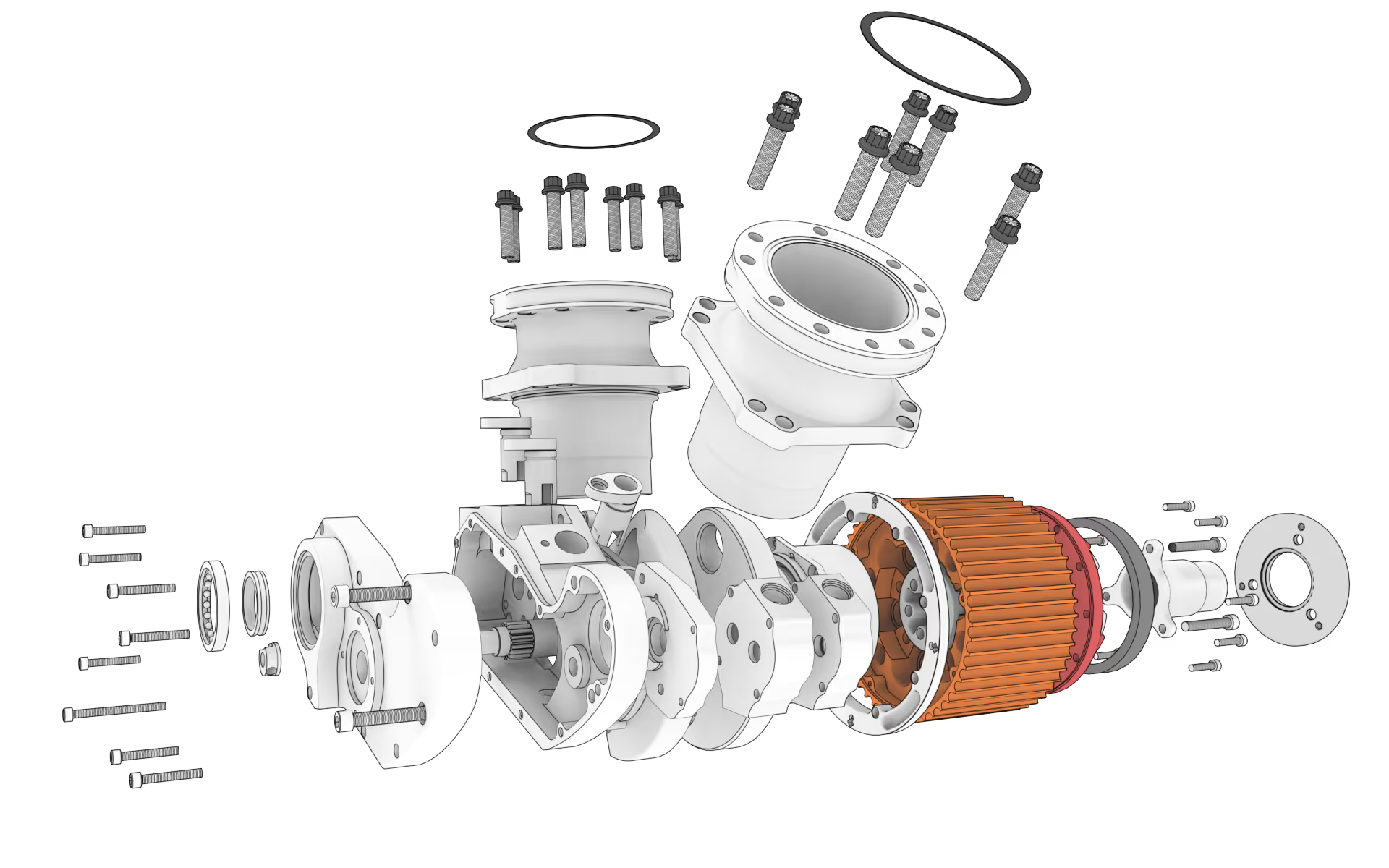
Exploded view of a Harley-Davidson V-Twin engine constructed in IRONCAD by Karling Racing Engines AB

"You are incredibly good at providing feedback and finding accurate solutions."
Henrik Ljungbäcker, Stoeryd

"You consistently provide excellent service, truly outstanding"
Thomas Pettersson, HangOn AB

"Fantastic support. Always easy to get hold of someone. Knowledgeable people."
Robert Åberg, Quiptec AB
"IRONCAD meets our diverse design needs better than any other 3D system."
Urban Olars, NEFAB Packaging

"Quick and thoughtful responses from Solidmakarnas support"
Annika Lindholm, Aratron
"We have seen significant benefits from using IRONCAD."
Åke Lindholm, Husqvarna
"Solidmakarnas has outstanding support!"
Lennart Freidlitz, Innopend Teknikpartner AB
"It is impossible to create better training material than this. The learning process is truly effective."
Johan Hertz, Ankarsrum Electric Motors AB

"Everyone at Mixon is extremely satisfied with both IRONCAD and the support."
Birger Johansson, Mixon AB

"The best educational material I have seen across all categories."
Christer Lilja, Nominit

"Profits clearly increased after switching to IRONCAD."
Daniel Erlandsson, Lerocon
"You are incredibly good at providing feedback and finding accurate solutions."
Henrik Ljungbäcker, Stoeryd
"You consistently provide excellent service, truly outstanding"
Thomas Pettersson, HangOn AB
"Fantastic support. Always easy to get hold of someone. Knowledgeable people."
Robert Åberg, Quiptec AB
"IRONCAD meets our diverse design needs better than any other 3D system."
Urban Olars, NEFAB Packaging
"Quick and thoughtful responses from Solidmakarnas support"
Annika Lindholm, Aratron
"We have seen significant benefits from using IRONCAD."
Åke Lindholm, Husqvarna
"Solidmakarnas has outstanding support!"
Lennart Freidlitz, Innopend Teknikpartner AB
"It is impossible to create better training material than this. The learning process is truly effective."
Johan Hertz, Ankarsrum Electric Motors AB
"Everyone at Mixon is extremely satisfied with both IRONCAD and the support."
Birger Johansson, Mixon AB
"The best educational material I have seen across all categories."
Christer Lilja, Nominit
"Profits clearly increased after switching to IRONCAD."
Daniel Erlandsson, Lerocon
"You are incredibly good at providing feedback and finding accurate solutions."
Henrik Ljungbäcker, Stoeryd
"You consistently provide excellent service, truly outstanding"
Thomas Pettersson, HangOn AB
"Fantastic support. Always easy to get hold of someone. Knowledgeable people."
Robert Åberg, Quiptec AB
"IRONCAD meets our diverse design needs better than any other 3D system."
Urban Olars, NEFAB Packaging
"Quick and thoughtful responses from Solidmakarnas support"
Annika Lindholm, Aratron
"We have seen significant benefits from using IRONCAD."
Åke Lindholm, Husqvarna
"Solidmakarnas has outstanding support!"
Lennart Freidlitz, Innopend Teknikpartner AB
"It is impossible to create better training material than this. The learning process is truly effective."
Johan Hertz, Ankarsrum Electric Motors AB
"Everyone at Mixon is extremely satisfied with both IRONCAD and the support."
Birger Johansson, Mixon AB
"The best educational material I have seen across all categories."
Christer Lilja, Nominit
"Profits clearly increased after switching to IRONCAD."
Daniel Erlandsson, Lerocon
3D printing software is the collective term for the programs that handle the transition from digital design to physical printing. The software is responsible for preparing the geometry, checking wall thicknesses, and exporting models in formats such as STL, OBJ, VRML, and 3MF —formats that the printer’s own software then interprets.
It’s not just about the printer itself, but about the entire chain of tools that ensures a CAD model can be converted into a correctly printed object. From the initial concept in a 3D CAD program to the finished prototype or mass-produced part—every step requires precision and the right software.
A 3D model that looks good on screen isn’t necessarily ready for printing. Common problems include open surfaces, walls that are too thin, and incorrect normals. By working in a professional CAD system such as IRONCAD or Rhinoceros , you can analyze and correct these issues before sending the file to the printer’s slicer software.
We work with CAD and PLM solutions that enable the creation, verification, and organization of
3D models for additive manufacturing.

Design Data Manager serves as a database and version control system for models and metadata. By managing the entire workflow from CAD files to print formats, DDM ensures DDM the correct version is always used in production.
Most Popular

IRONCAD the most flexible 3D software on the market. By combining flexible, parametric, and direct modeling with smart drag-and-drop functionality, it enables faster design for engineers who require high performance in their daily work.

Rhinoceros free-form surfaces and NURBS geometry into mesh-based files ready for printing. Ideal for organic shapes and industrial design, where precision in surface transitions is critical.
The design work in IRONCAD Rhinoceros both 3D modeling and surface definition.
These programs export complete models to 3D printing software without losing any shape or structural information.
Create your 3D model in IRONCAD Rhinoceros parametric, direct, or free-form modeling, depending on the component’s complexity.
Check wall thicknesses, enclosed volumes, and surface normals. Identify and resolve potential issues before exporting.
Export the model to STL, 3MF, or OBJ with controlled mesh resolution. Manage versions using Design Data Manager.
Send the file to the printer's slicing software for slicing and printing. From rapid prototyping to mass-produced parts.
We have been providing design, training, and software support since 1988.
This experience gives us a deep understanding of how CAD models are used in real-world production environments.
Most Popular
Create components intuitively with an organized history and smart associative features. A fast and seamless process from concept to print-ready model.
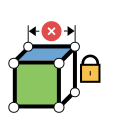
Define dimensions and relationships in advance so that the model can be easily adjusted or modified according to specified rules—ideal for mass production and variants.
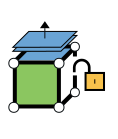
Select a surface and move, rotate, or offset it directly—without having to work with features in the history tree. Perfect for customizing imported models for printing.
Create complex and organic shapes in Rhinoceros architecture, interior design, or product design. NURBS geometries are then converted to meshes for 3D printing.

Answer: 3D printing software is software that prepares digital 3D models for additive manufacturing. The software handles geometry, tolerances, and material data, and exports the model in formats such as STL, OBJ, or 3MF, which can then be read by the printer’s slicer software.
Answer: The most common formats are STL (triangulated mesh), 3MF (a more modern format that supports color and materials), OBJ (textured mesh), and VRML (mesh with color information). Both IRONCAD Rhinoceros export to all of these formats.
Answer: Yes, IRONCAD direct export of triangulated mesh files. You can analyze wall thicknesses, verify closed geometries, and export to *.stl, *.vrml, and *.obj formats with controlled mesh resolution—all within the same design environment.
Answer: Rhinoceros NURBS surfaces into polygon meshes, allowing you to control density and tolerances. With built-in mesh repair tools and a wide range of plugins, you can optimize models for various printing techniques.
Answer: DDM as a central database for all design files. It ensures that the correct version of each model is used during printing, manages batch file exports, and provides full traceability throughout the entire production chain.
Answer: Yes, CAD software prepares and exports the model, while slicing software (e.g., Cura, PrusaSlicer) divides the model into layers and generates the G-code used by the 3D printer. Our CAD tools handle the step prior to slicing.
Contact us for advice and information on how IRONCAD, Rhinoceros DDM be integrated into your existing 3D printing workflow.